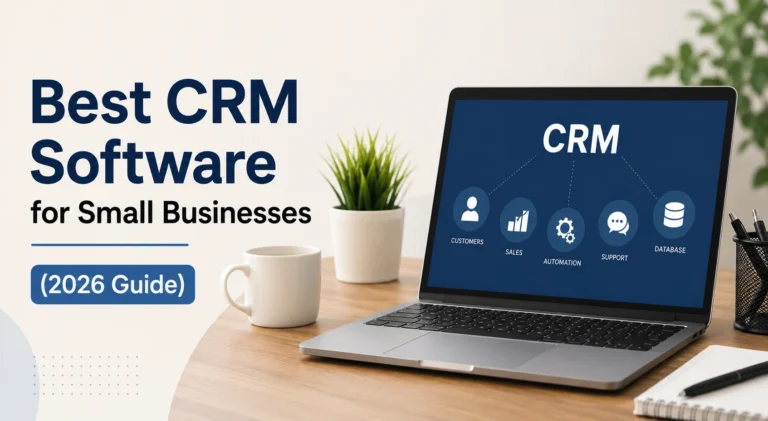

Best CRM Software for Small Businesses (2026 Guide)
Managing customer relationships becomes more challenging as a small business grows. New leads, follow-up emails, sales conversations, and customer support requests can quickly become difficult to track without the right system. Relying on spreadsheets or handwritten notes often results in missed opportunities and inconsistent communication. As a result, CRM software has become a must-have solution for businesses looking to grow and stay organized. The best CRM software for small businesses helps organize customer data, automate routine tasks, monitor sales progress, and improve team collaboration from a single platform. In this guide, you’ll discover the top CRM solutions, compare their features, understand their pricing, and learn how to choose the right option based on your business goals and budget.
What Is CRM Software?
Customer Relationship Management (CRM) software is a centralized platform that helps businesses manage customer information, sales activities, and ongoing communication throughout the entire customer journey. Instead of storing data across emails, spreadsheets, or notebooks, a CRM keeps everything organized in one place, making information easy to access for every team member. Most modern CRM systems also include lead tracking, task management, email integration, reporting, workflow automation, and mobile accessibility. Whether you’re running a startup or an established small business, CRM software helps improve organization, strengthen customer relationships, and create a more efficient sales process without adding unnecessary complexity to your daily operations.
Benefits of CRM Software for Small Businesses
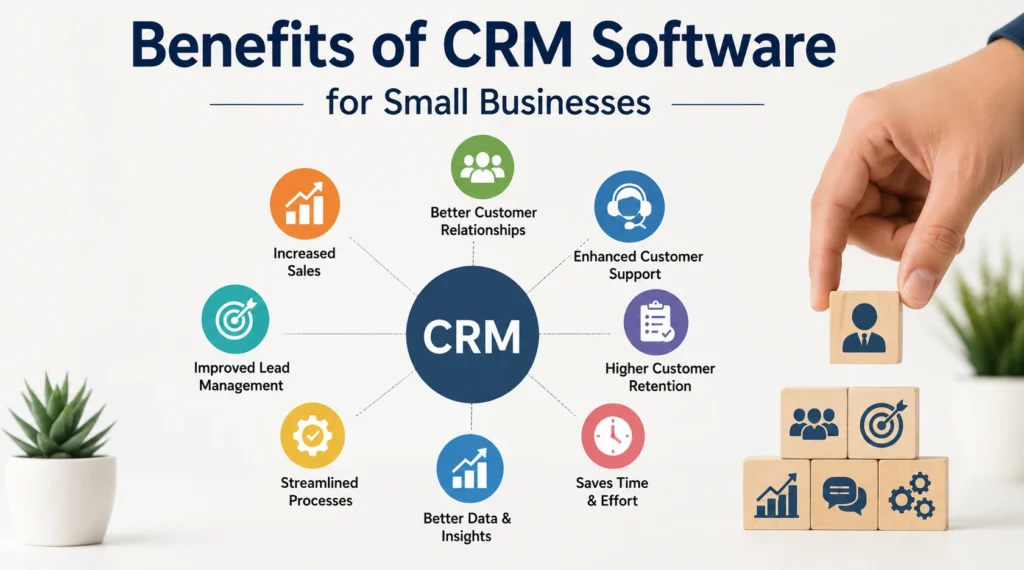
The right CRM software can transform how a small business manages customers, generates sales, and improves overall efficiency. It provides complete visibility into customer interactions, helping businesses deliver more personalized experiences while ensuring that no lead is overlooked. Instead of spending valuable time on repetitive administrative work, teams can focus on building relationships and closing deals. CRM software also improves collaboration by giving employees access to shared customer information and real-time updates. According to research by Nucleus Research, businesses earn an average return of $8.71 for every dollar invested in CRM, making it one of the highest-return technology investments available for growing companies.
💚 You might also like: How to Start a SaaS Business: Step-by-Step Guide (2026)
Key Features of CRM Software
Every CRM platform offers a different set of capabilities, but the best solutions share several essential features that help businesses stay organized and productive. A well-designed CRM should simplify customer management instead of making it more complicated. It should help teams track leads, monitor sales activities, automate repetitive work, and generate valuable business insights through reports and analytics. Choosing software with the right features ensures your investment continues to support your business as it grows. Before comparing CRM platforms, it’s important to understand the core functions that deliver the greatest value for most small businesses.
Contact & Lead Management
Effective contact and lead management allows businesses to organize customer information in one secure location while tracking every interaction throughout the sales process. Sales teams can record conversations, schedule follow-ups, assign leads, add notes, and monitor customer activity without losing important details. Having complete customer profiles available at any time improves communication, strengthens relationships, and helps ensure every potential opportunity receives the attention it deserves.
Sales Pipeline Management
Sales pipeline management provides a clear visual overview of every opportunity from the initial inquiry to the completed sale. Businesses can monitor deal progress, identify stalled opportunities, prioritize qualified leads, and forecast future revenue with greater confidence. A structured sales pipeline also helps teams maintain consistency throughout the sales process, improves accountability, and enables managers to make informed decisions based on real-time sales performance instead of assumptions.
Automation & Reporting
Automation and reporting work together to improve efficiency and support smarter business decisions. CRM software can automatically send follow-up emails, assign leads, create reminders, update customer records, and trigger workflows based on specific actions. At the same time, reporting dashboards provide valuable insights into sales performance, conversion rates, customer behavior, and team productivity, allowing business owners to identify trends and make data-driven decisions with greater confidence.
Best CRM Software for Small Businesses
Choosing the right CRM depends on your business size, sales process, budget, and future growth plans. While many CRM platforms offer similar core features, each one is designed with different strengths. Some focus on simplicity for startups, while others provide advanced automation, AI-powered insights, or enterprise-level customization. The goal is not to find the CRM with the most features, but the one that fits your daily workflow and helps your team work more efficiently. Below are some of the best CRM software solutions for small businesses, each offering unique advantages for different business needs.
HubSpot CRM
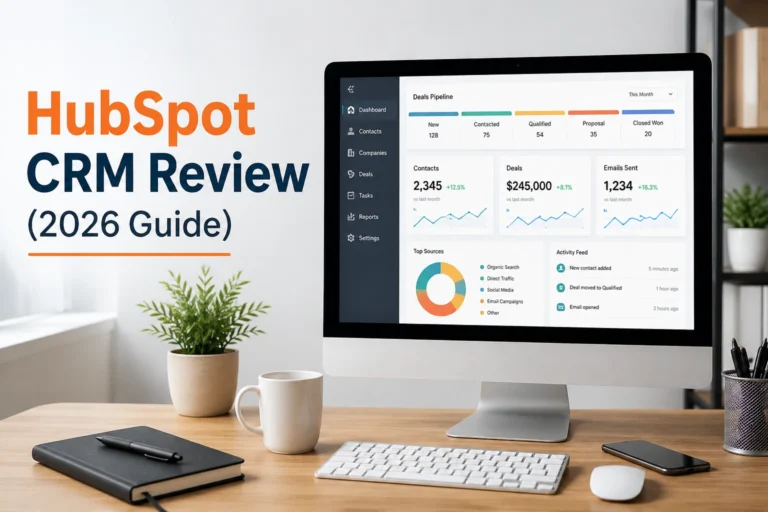
HubSpot CRM is one of the most popular choices for small businesses because it offers a generous free plan without sacrificing essential functionality. Users can manage contacts, track deals, automate basic tasks, and integrate with marketing and customer service tools from a single dashboard. Its intuitive interface allows new users to get started quickly with minimal learning. As your business grows, paid plans unlock advanced automation, reporting, and AI-powered features, making HubSpot a scalable solution for long-term business growth.
Zoho CRM
Zoho CRM is a cost-effective platform designed for businesses that need powerful features without paying premium prices. It includes lead management, workflow automation, email marketing integrations, sales forecasting, and customizable dashboards. The platform is flexible enough to support different industries while remaining user-friendly for smaller teams. Businesses already using other Zoho applications will benefit from seamless integration, creating a connected ecosystem that improves productivity and simplifies everyday operations.
Pipedrive
Pipedrive is built primarily for sales-focused businesses that want complete visibility into their sales pipeline. Its visual interface allows users to drag and drop deals through different sales stages, making opportunity management simple and efficient. Activity reminders, email synchronization, automation tools, and sales forecasting help teams stay organized throughout the sales cycle. Its user-friendly interface helps teams get up to speed quickly, allowing them to focus on closing deals instead of learning complicated software.
Salesforce Starter
Salesforce Starter brings the reliability of Salesforce to smaller businesses in a more accessible package. It combines customer management, sales tracking, marketing tools, and reporting into one cloud-based platform. Businesses benefit from strong customization options, secure data management, and access to one of the largest business software ecosystems available. While it requires slightly more setup than simpler CRMs, it offers excellent scalability for companies planning significant long-term growth.
Freshsales
Freshsales combines traditional CRM capabilities with artificial intelligence to help businesses sell more efficiently. Its AI assistant provides lead scoring, sales recommendations, email insights, and activity tracking that help sales teams prioritize the most promising opportunities. Built-in communication tools, workflow automation, customizable pipelines, and detailed analytics reduce manual work while improving customer engagement. Freshsales is particularly suitable for businesses looking to automate repetitive sales processes without increasing operational complexity.
Monday Sales CRM
Monday Sales CRM focuses on collaboration and workflow management, making it an excellent choice for businesses where multiple team members handle customer relationships. The platform offers customizable pipelines, task tracking, email integration, automation, and visual dashboards that simplify project and sales management. Its flexible interface adapts to different business processes, allowing teams to build workflows that match their operations while keeping customer information organized and accessible.
Insightly
Insightly combines CRM functionality with project management features, making it ideal for service-based businesses that continue working with clients after closing a sale. Users can manage leads, convert opportunities into projects, assign tasks, and monitor deadlines from one platform. Its reporting capabilities provide valuable insights into both sales and project performance, helping businesses improve customer satisfaction while maintaining better control over ongoing client relationships.
Capsule CRM
Capsule CRM is designed for businesses that want an intuitive and uncomplicated customer management solution. The platform provides essential features such as contact management, sales tracking, task reminders, and customizable sales pipelines without overwhelming users with unnecessary complexity. Its user-friendly interface allows teams to learn the platform quickly, helping new employees become productive sooner. Capsule is especially suitable for startups, consultants, and small teams seeking an affordable CRM focused on simplicity and efficiency.
Less Annoying CRM
Less Annoying CRM was created specifically for small businesses that prefer straightforward software without complicated setup or hidden features. It offers contact management, calendar integration, task tracking, customizable pipelines, and unlimited customer support through an easy-to-use interface. The platform focuses on practicality rather than complexity, making it an attractive option for businesses that need reliable customer management without investing time in learning advanced enterprise systems.
Keap
Keap is a CRM built for businesses that want to combine customer management with sales and marketing automation. In addition to organizing contacts and tracking opportunities, it automates follow-up emails, appointment scheduling, invoicing, and payment reminders. These features help reduce repetitive administrative work while improving customer communication throughout the sales journey. Keap is particularly valuable for small businesses that rely heavily on lead nurturing and automated marketing campaigns to generate consistent revenue.
CRM Software Comparison
After reviewing the leading CRM platforms individually, comparing them side by side makes the decision much easier. Every business has different priorities, whether it’s affordability, automation, ease of use, or advanced customization. A comparison table allows you to quickly identify which CRM matches your requirements without reviewing every feature in detail. Rather than choosing the platform with the longest feature list, focus on the one that supports your sales process, integrates with your existing tools, and offers room to grow. The table below provides a simplified comparison to help you make an informed decision.
| CRM Software | Best For | Free Plan | Starting Price | Key Strength |
| HubSpot CRM | Startups & Growing Businesses | ✅ Yes | Paid plans available | Excellent free features |
| Zoho CRM | Budget-Conscious Businesses | ✅ Yes | Affordable | Strong customization |
| Pipedrive | Sales Teams | ❌ No | Paid only | Visual sales pipeline |
| Salesforce Starter | Scaling Businesses | ❌ No | Paid only | Enterprise scalability |
| Freshsales | AI-Powered Sales | ✅ Yes | Paid plans available | AI automation |
| Monday Sales CRM | Team Collaboration | Free Trial | Paid only | Flexible workflows |
| Insightly | Service-Based Businesses | Free Trial | Paid only | CRM + Project Management |
| Capsule CRM | Small Teams | Free Plan | Paid plans available | Simple interface |
| Less Annoying CRM | Beginners | ❌ No | Single affordable plan | Easy to use |
| Keap | Marketing Automation | Free Trial | Paid only | Sales & marketing automation |
How to Choose the Right CRM
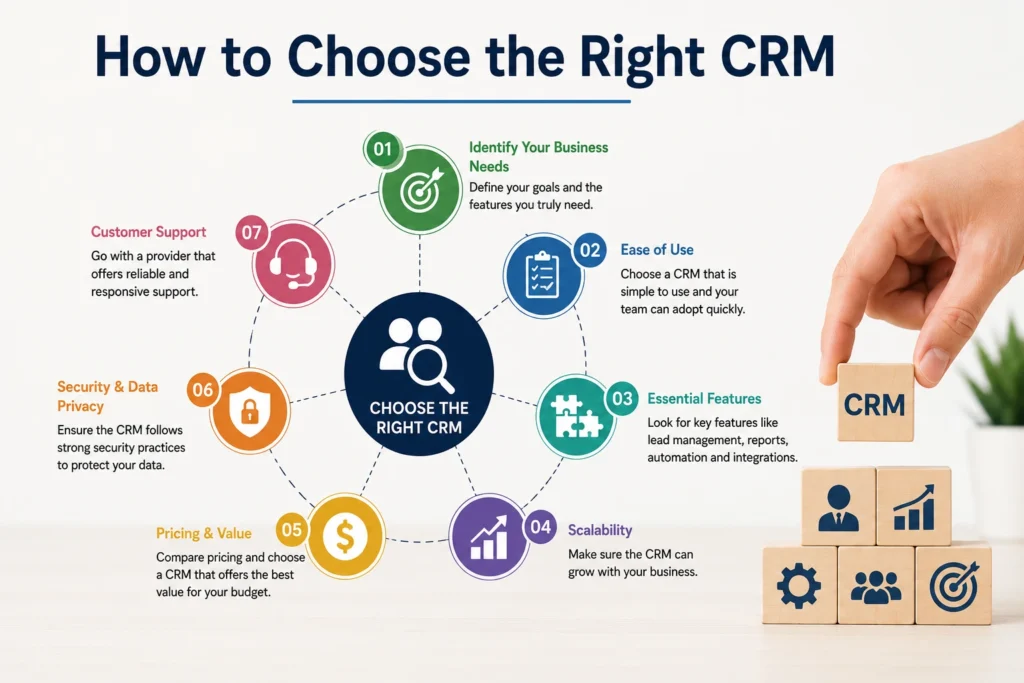
Selecting the right CRM starts with understanding your business requirements instead of chasing the platform with the most features. Consider how your team manages leads, communicates with customers, and tracks sales every day. If you’re a startup, a simple and affordable CRM may be enough, while growing businesses often benefit from automation, advanced reporting, and third-party integrations. Also, evaluate pricing, scalability, mobile accessibility, customer support, and ease of implementation before making a decision. Taking advantage of free trials allows you to test the software with your real workflow and determine whether it truly fits your business.
💚 You might also like: What Is Topical Authority? The Complete SEO Guide
Common CRM Mistakes
Many businesses invest in CRM software but fail to achieve the expected results because of poor implementation rather than poor software. One common mistake is choosing a platform with unnecessary features that complicate daily operations. Others neglect employee training, resulting in inconsistent data entry and low adoption rates. Businesses also often ignore automation opportunities or fail to update customer information regularly. A CRM only delivers value when it becomes part of your team’s daily routine. Establishing clear processes, maintaining accurate records, and reviewing performance regularly will maximize your return on investment.
Free vs. Paid CRM
Free CRM solutions are an excellent starting point for startups, freelancers, and small businesses with limited budgets. They typically include contact management, deal tracking, and basic reporting, allowing businesses to organize customer information without upfront costs. As your business expands, you may require advanced features such as automation, in-depth reporting, customizable workflows, additional user access, and integrations that are typically included in paid plans. If your sales process is becoming more complex or your team is expanding, upgrading to a paid CRM can improve efficiency and support long-term business growth.
Frequently Asked Questions
Which CRM is best for small businesses?
HubSpot CRM is an excellent choice for businesses looking for a free and easy-to-use platform, while Zoho CRM, Pipedrive, and Freshsales are strong alternatives depending on your business goals and budget.
Is free CRM software enough for a small business?
Yes. Many startups can successfully manage contacts, leads, and basic sales activities using a free CRM. As operations grow, upgrading to a paid plan provides access to advanced automation, reporting, and integrations.
Can CRM software improve sales performance?
Yes. CRM software helps businesses organize leads, automate follow-ups, track opportunities, and improve customer communication, making it easier to convert prospects into long-term customers.
How Much Time Does CRM Implementation Take?
Most cloud-based CRM platforms can be set up within a few hours or days. Larger businesses with complex workflows and data migration requirements may need several weeks for complete implementation.
Conclusion
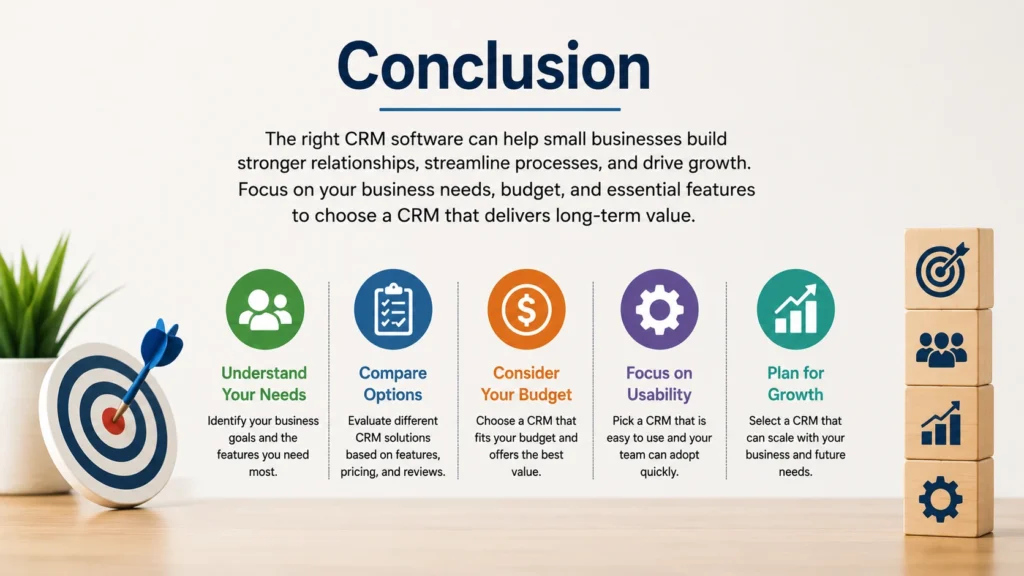
The best CRM software for small businesses is the one that fits your workflow, budget, and long-term goals. While every platform offers similar core functionality, their strengths vary depending on whether you prioritize affordability, automation, sales management, or business scalability. Taking the time to compare features, test free trials, and evaluate future business needs will help you make a smarter investment. A well-implemented CRM not only organizes customer information but also strengthens relationships, improves productivity, and supports sustainable business growth. By choosing the right solution today, you’ll build a stronger foundation for serving customers and expanding your business in the years ahead.
✨ Want bite-sized tech wisdom? Follow Tech Baaz.