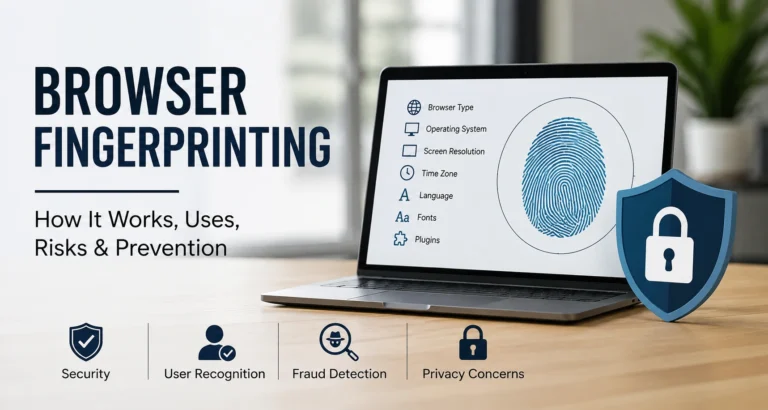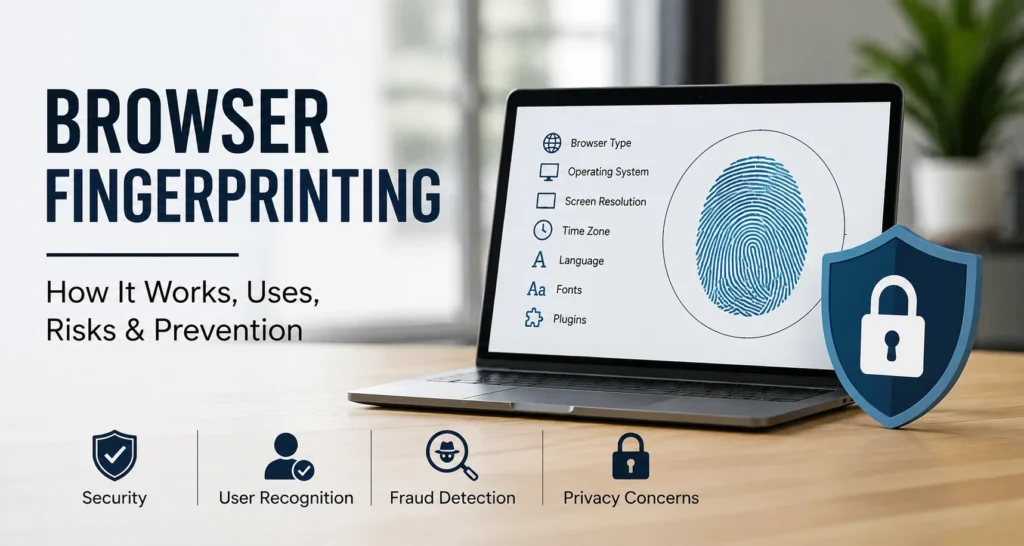


Browser Fingerprinting Explained: How It Works
Browser fingerprinting is a technique that lets a website recognize a browser or device by combining multiple technical signals into one profile. Instead of relying only on cookies, it can examine details such as the browser, operating system, screen settings, language, time zone, graphics capabilities, and other configuration clues. Each signal may look ordinary on its own, but their combination can become surprisingly distinctive. This makes fingerprinting useful for security and fraud detection, while also raising privacy concerns because users may be recognized without storing a traditional tracking cookie on their device during later visits.
How Does Browser Fingerprinting Work?
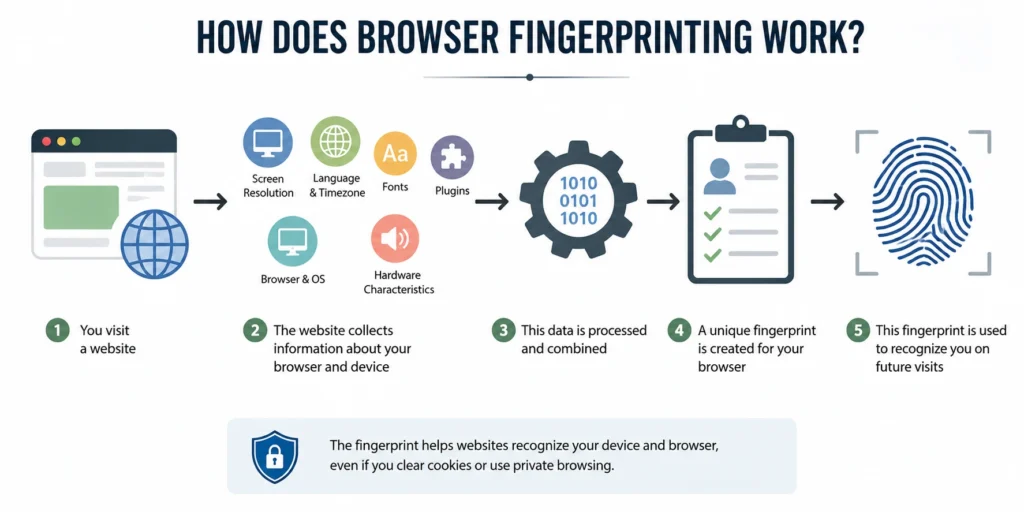
Browser fingerprinting usually begins when a website collects information that the browser makes available during a visit. Scripts can read certain settings and test browser features, then combine those results into a fingerprint. The fingerprint may be compared with earlier records to determine whether a browser environment looks familiar. Some techniques are passive, while others actively test browser capabilities. The goal is not necessarily to discover a person’s real name. Instead, fingerprinting creates a technical identity that can help a service recognize a returning browser, spot unusual activity, or connect related sessions across repeated visits.
💚 You might also like: Mesh Wi-Fi vs Traditional Router: Which Is Better?
Browser and Operating System Details
A fingerprint can include details about the browser and operating system, such as browser family, version, platform, and supported features. These details rarely identify someone by themselves. Their value comes from the combination. For example, a particular browser running on a specific operating system with an unusual set of enabled features may create a more distinctive technical profile than any single attribute could provide.
Screen, Language, and Time Zone
Screen size, display settings, preferred language, and time zone can add another layer to a browser fingerprint. These signals can help describe how a browser is configured and sometimes make one setup easier to distinguish from another. They are not personal identifiers on their own, but combined with other attributes, they can increase the uniqueness of the overall browser profile.
Hardware and Browser Settings
Hardware and browser settings can provide additional clues about a device environment. Depending on the browser and techniques being used, fingerprinting may examine graphics capabilities, supported APIs, media features, or other configuration signals. The exact information available varies by browser and privacy settings, but combining several technical characteristics can help create a profile that is more recognizable than any individual signal.
Common Browser Fingerprinting Techniques
Browser fingerprinting is not based on one magic identifier. Instead, different techniques examine different parts of a browser and device, then combine the resulting signals into a broader profile. Some methods rely on information a browser naturally exposes, while others actively test features through JavaScript or browser APIs. The W3C separates fingerprinting into categories such as passive and active fingerprinting, depending on how those characteristics are obtained. Understanding these techniques matters because each one contributes a different type of information, and modern fingerprinting systems can combine several signals to make a browser environment easier to recognize.
Canvas and WebGL Fingerprinting
Canvas fingerprinting asks the browser to render graphics and examines the resulting output for subtle differences. WebGL fingerprinting follows a similar idea but focuses on graphics rendering through the WebGL environment. Differences in browsers, operating systems, graphics drivers, and hardware can affect the final result. Neither technique necessarily identifies a person directly, but their output can become useful when combined with other browser characteristics to create a more distinctive technical profile.
Audio and Font Fingerprinting
Audio fingerprinting examines how a browser processes specially generated audio signals, while font fingerprinting can look at which fonts are available or how text is rendered. Research has found that audio fingerprints can add useful information to broader fingerprinting systems, although they are not always perfectly stable. In one study involving 2,093 users, researchers identified 95 distinct audio fingerprints, showing both the limitations and potential value of this technique.
JavaScript and Hardware Fingerprinting
JavaScript gives websites access to a wide range of browser features that can reveal characteristics about the user’s environment. These may include supported APIs, graphics capabilities, device-related information, and browser configuration. Hardware-related signals can become more useful when combined rather than considered individually. Academic research has shown that browsers differ significantly in their fingerprinting potential, meaning the browser a person chooses can affect how distinctive their online configuration becomes.
Browser Fingerprinting vs. Cookies and IP Addresses
Browser fingerprinting, cookies, and IP addresses can all help websites recognize or distinguish visitors, but they work in very different ways. Cookies store information in the browser, while an IP address identifies a network connection rather than a specific browser. Fingerprinting instead combines observable characteristics of the browser and device into a technical profile. This difference matters for privacy: clearing cookies does not necessarily change a browser’s underlying characteristics, while an IP address may change when someone switches networks. The W3C notes that fingerprinting can support correlation even when traditional cookie-based tracking is unavailable.
| Feature | Browser Fingerprinting | Cookies | IP Address |
| Main purpose | Recognize a browser or device | Store preferences, sessions, or identifiers | Identify a network connection |
| How it works | Combines browser and device signals | Saves data in the browser | Records the network address |
| Requires browser storage? | Usually no | Yes | No |
| Can clearing cookies affect it? | Usually does not remove the fingerprint | Yes | No |
| Can it change? | Yes, when browser or device characteristics change | Yes, when cookies are deleted or replaced | Yes, when the network or IP changes |
| What does it identify? | A browser/device environment | A browser with stored data | A network connection |
| Privacy concern | Can enable less visible recognition | Generally more visible and controllable | Can reveal approximate network location |
| Best known uses | Security, fraud detection, recognition | Sessions, preferences, tracking | Networking, security, location signals |
How Accurate Is Browser Fingerprinting?
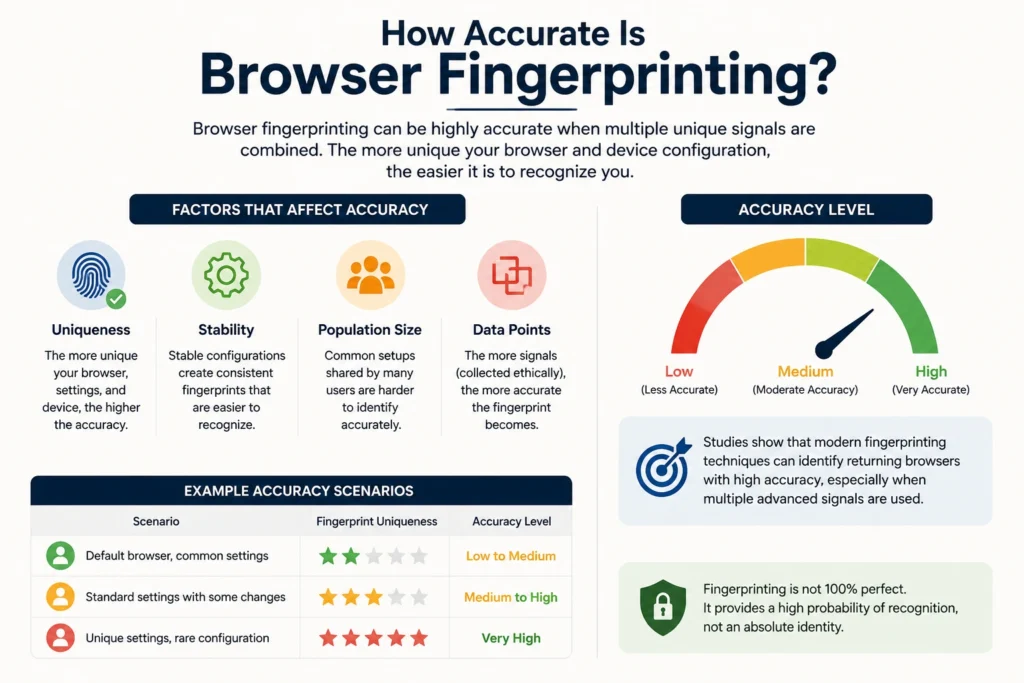
The accuracy of browser fingerprinting depends heavily on how distinctive and stable the collected signals are. A common browser configuration shared by thousands of people may be difficult to distinguish, while an unusual combination of settings, hardware, software, and display characteristics can be much easier to recognize. This is why fingerprinting should not be treated as a guaranteed personal identifier. Research has shown that browsers expose different amounts and types of fingerprintable information, which affects their overall fingerprintability. Fingerprints can also change when users modify browsers, devices, settings, or software, so recognition is often probabilistic rather than absolute.
💚 You might also like: Why China Leads Global Electronics Manufacturing
How Is Browser Fingerprinting Used?
Browser fingerprinting has practical uses beyond advertising and visitor tracking. Security teams can use it as one signal when deciding whether a login, transaction, or session looks trustworthy. It can help identify unusual browser environments, recognize returning devices, and support fraud investigations. The W3C specifically notes that fingerprinting can be used as a security measure, including user authentication, while also recognizing its privacy implications. The key is context: fingerprinting is not a perfect identity check. Instead, it works best as one part of a larger security system that considers multiple signals before making a decision.
Fraud Prevention
Online businesses can use browser fingerprints to identify unusual activity around payments, account creation, or logins. For example, if several accounts suddenly appear from a browser environment associated with suspicious activity, a fraud system can flag the pattern for additional checks. Fingerprinting does not prove that someone is fraudulent, but it can provide another useful signal alongside IP reputation, login behavior, transaction information, and account history.
Bot Detection
Automated bots can imitate normal browser requests, but their browser environments may still reveal unusual characteristics. Fingerprinting can help security systems compare these characteristics with known patterns and behavioral signals. When a browser fingerprint looks inconsistent with normal user activity, the system can request additional verification or apply stricter controls. This approach is especially useful when websites need to distinguish legitimate automation from abusive automated traffic.
Account and Login Security
Fingerprinting can add another layer of protection when users sign in from unfamiliar environments. A service may compare the current browser characteristics with previous sessions and look for significant changes. A new fingerprint does not automatically mean an account has been compromised, since people regularly change devices and browsers. Instead, it can contribute to a risk score that triggers measures such as multi-factor authentication, verification emails, or additional security checks.
Is Browser Fingerprinting a Privacy Concern?
Yes, browser fingerprinting can create legitimate privacy concerns, particularly when it is used for tracking without clear user awareness. The W3C explains that fingerprinting may allow websites or services to identify or re-identify a browser or device and correlate activity across sessions. Unlike a cookie, a fingerprint is not simply a small file that users can delete from their browser. That can make the technique harder for ordinary users to understand and control. At the same time, fingerprinting is not inherently harmful; security applications can provide valuable protection when the collection and use of data are appropriate, transparent, and proportionate.
How to Prevent Browser Fingerprinting
Completely eliminating browser fingerprinting is difficult because websites need certain browser information to deliver normal functionality. However, users can reduce the amount of information available to trackers by using built-in privacy protections, limiting unnecessary scripts, and choosing browsers designed to reduce fingerprint uniqueness. The Electronic Frontier Foundation recommends tools and settings that can limit tracking and explains that no single defense provides perfect protection. In practice, the goal is not to become invisible online; it is to make unnecessary tracking harder while keeping everyday browsing practical and convenient.
Use a Privacy-Focused Browser
Some browsers include features designed to make users less distinguishable from one another. The approach can involve standardizing certain browser characteristics, limiting exposed information, or making fingerprints less stable. EFF notes that browsers such as Tor Browser and Brave use different approaches to make fingerprint-based tracking more difficult. Choosing a privacy-focused browser can therefore provide a simpler starting point than manually changing dozens of individual browser settings.
Block Tracking Scripts
Many fingerprinting techniques depend on scripts running inside a webpage. A tracker blocker can prevent some known tracking domains or scripts from loading, reducing the information available to fingerprinting systems. EFF recommends tracker-blocking tools as one practical defense, while also noting that advanced techniques may still bypass some blocking methods. Users should therefore treat blocking as one layer of protection rather than assuming it completely prevents fingerprinting.
Control JavaScript and Permissions
Restricting JavaScript can reduce access to some information used for browser fingerprinting, but it can also break websites or remove important features. EFF points out that disabling JavaScript provides stronger protection against some fingerprinting techniques while creating significant usability trade-offs. A more practical approach for many users is to keep JavaScript enabled for trusted websites while using browser controls, content blockers, and permission settings to limit unnecessary access elsewhere.
Is Browser Fingerprinting Legal?
Browser fingerprinting is not automatically illegal simply because it identifies or distinguishes a browser. Its legality depends on how the information is collected, why it is collected, what data it is combined with, and which privacy laws apply. Regulations such as the GDPR can become relevant when fingerprinting involves personal data or enables identification and tracking. The W3C recognizes both legitimate security uses and significant privacy risks associated with fingerprinting. Businesses should therefore avoid treating fingerprinting as a loophole around privacy requirements. Proper notice, lawful processing, data minimization, and appropriate safeguards may all matter depending on the situation and jurisdiction.
Frequently Asked Questions
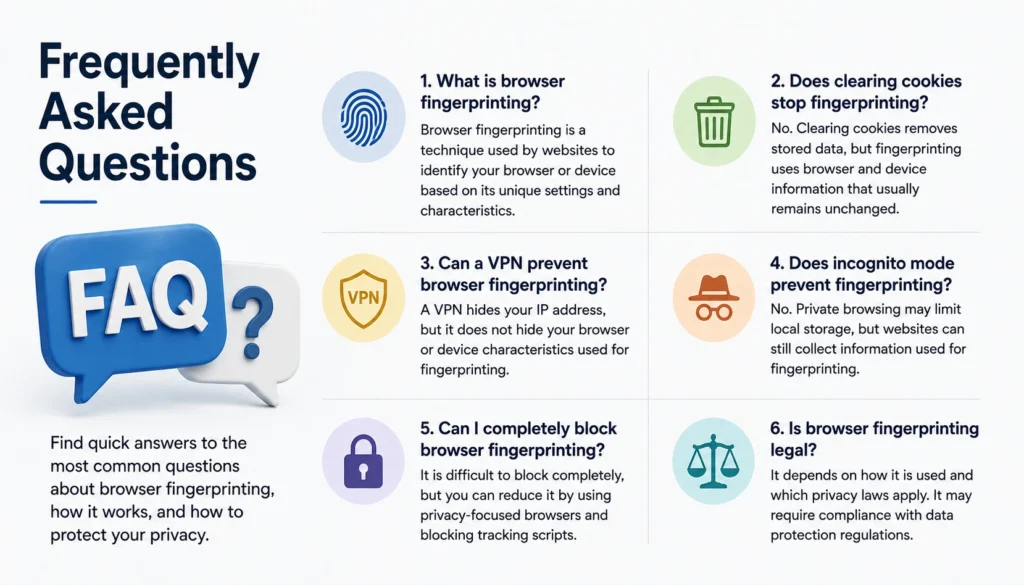
What is browser fingerprinting?
Browser fingerprinting identifies a browser or device by combining technical details such as browser type, screen settings, language, and hardware characteristics.
Is browser fingerprinting the same as cookies?
No. Cookies store information in your browser, while fingerprinting uses browser and device characteristics to create a recognizable profile.
Can a VPN stop browser fingerprinting?
No. A VPN can hide your IP address, but it does not automatically hide browser characteristics used for fingerprinting.
Does incognito mode prevent fingerprinting?
No. Private browsing can limit local storage and browsing history, but websites may still collect technical information for fingerprinting.
Can I prevent browser fingerprinting?
You can reduce it by using privacy-focused browsers, blocking tracking scripts, and limiting unnecessary JavaScript and browser permissions.
Conclusion
Browser fingerprinting is best understood as a recognition technique built from many small browser and device characteristics rather than a single hidden identifier. It can support legitimate applications such as fraud prevention, bot detection, and account security, but the same technology can create serious privacy concerns when used for opaque tracking. The W3C recognizes both sides of this issue, while EFF provides practical tools for understanding and reducing fingerprint-based tracking. For users, the sensible approach is to combine privacy-focused browser features, tracker blocking, and thoughtful permission settings rather than expecting cookies, incognito mode, or a VPN alone to eliminate fingerprinting.
✨ Want bite-sized tech wisdom? Follow Tech Baaz.