
Windows vs macOS: Which Should You Choose? (2026 Guide)
The choice between Windows and macOS is one of the most important decisions for modern computer users because it directly affects productivity, performance, and daily workflow efficiency. Both operating systems are powerful, widely used, and continuously evolving with new features. However, they serve different types of users and needs. This guide explains their real-world differences in a simple, research-based way so you can make an informed decision based on performance, usability, software support, and ecosystem integration rather than just brand preference or assumptions.
What is Windows?
Microsoft Windows is a widely used operating system developed by Microsoft that powers laptops, desktops, and enterprise systems across the world. It is known for its flexibility, wide hardware compatibility, and strong software ecosystem. Windows supports thousands of applications across industries, including gaming, business, engineering, and education. It runs on devices from multiple manufacturers, making it available in almost every price range, from budget laptops to high-performance gaming PCs and professional workstations.
What is macOS?
macOS is Apple’s proprietary operating system designed exclusively for Mac devices such as MacBook Air, MacBook Pro, iMac, and Mac Studio. It is built for performance optimization, security, and seamless integration with Apple hardware. macOS delivers a smooth, stable, and highly responsive user experience. It is especially popular among creative professionals, developers, and users who value stability, clean design, and tight ecosystem integration with iPhone, iPad, and other Apple services.
Windows vs macOS Comparison Table
| Feature | Windows | macOS |
| Developer | Microsoft | Apple |
| Hardware Support | Works on multiple brands | Only Apple devices |
| Price Range | Budget to premium | Premium only |
| User Interface | Highly customizable | Clean and minimal |
| Software Availability | Extremely wide | Limited but optimized |
| Gaming Support | Excellent | Limited |
| Security | Good, requires an antivirus | Strong built-in security |
| Performance | Depends on hardware | Highly optimized |
| Ecosystem | Microsoft + Android integration | Apple ecosystem (iPhone, iPad) |
| Best For | Gaming, business, flexibility | Creative work, stability, productivity |
Performance Comparison
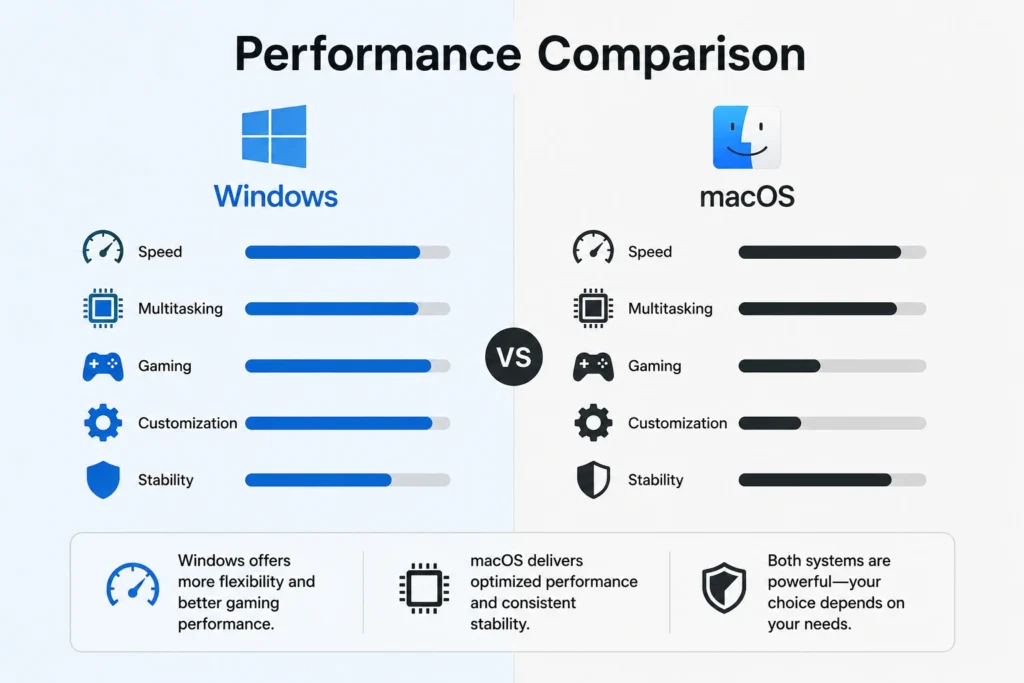
Performance is one of the biggest deciding factors when choosing between Windows and macOS because it directly affects speed, multitasking, and overall system responsiveness. Both operating systems perform well, but their efficiency depends on hardware and optimization approach. Windows relies heavily on device specifications, while macOS is tightly optimized for Apple hardware. This difference creates unique performance experiences for different users, especially in demanding tasks like editing, gaming, and software development.
Windows Performance Factors
Microsoft Windows performance depends largely on hardware configuration, including CPU, RAM, and storage type. High-end Windows machines deliver excellent speed, but lower-end devices may struggle under heavy workloads. This flexibility allows users to choose performance levels based on budget, making Windows suitable for both casual users and power users who want full control over system upgrades and hardware customization.
💚 You might also like: CRM vs ERP Systems Explained: Key Differences & Best Choice
macOS Optimization with Apple Silicon
macOS is finely tuned to work with Apple Silicon chips, delivering fast and smooth performance even on lightweight devices. Because Apple controls both hardware and software, macOS delivers consistent speed, better power efficiency, and reduced lag during multitasking. This tight integration results in a more stable experience, especially for creative professionals working with large files, video editing, or design applications.
Real-World Speed Differences
In real-world usage, Windows excels in raw performance when paired with high-end hardware, especially for gaming and heavy multitasking. macOS, however, feels faster in day-to-day tasks due to optimization and system efficiency. While benchmarks may vary, user experience depends on workload type, with Windows leading in flexibility and macOS offering smoother consistency across supported devices.
User Interface & Experience
User interface plays a major role in how comfortable and productive a system feels during daily use. Windows focuses on flexibility and customization, while macOS emphasizes simplicity and visual consistency. Both systems offer modern designs, but their approach to navigation, multitasking, and usability differs significantly based on user preferences and workflow needs.
Software Compatibility
Software availability is a key advantage for Windows, which supports a vast range of applications across almost every industry. From enterprise tools to gaming software, Windows leads in compatibility. macOS, however, is preferred for optimized creative tools like video editing, music production, and design software, offering a more curated but highly stable software ecosystem for professionals.
Gaming Performance
Gaming is one of the biggest strengths of Windows, thanks to its support for high-performance GPUs, drivers, and gaming platforms like Steam and Xbox Game Pass. macOS has limited gaming support due to fewer optimized titles and hardware restrictions. As a result, Windows remains the dominant choice for gamers who want high FPS, better compatibility, and upgradeable gaming setups.
Security & Stability
Security is a major strength of macOS, which benefits from Apple’s controlled ecosystem and strict app verification system. Windows, while secure, is more exposed due to its open architecture and wider software compatibility. However, modern Windows versions include built-in protection tools that significantly improve safety. macOS generally offers better stability, while Windows provides more control and customization options.
Pros and Cons of Windows vs macOS
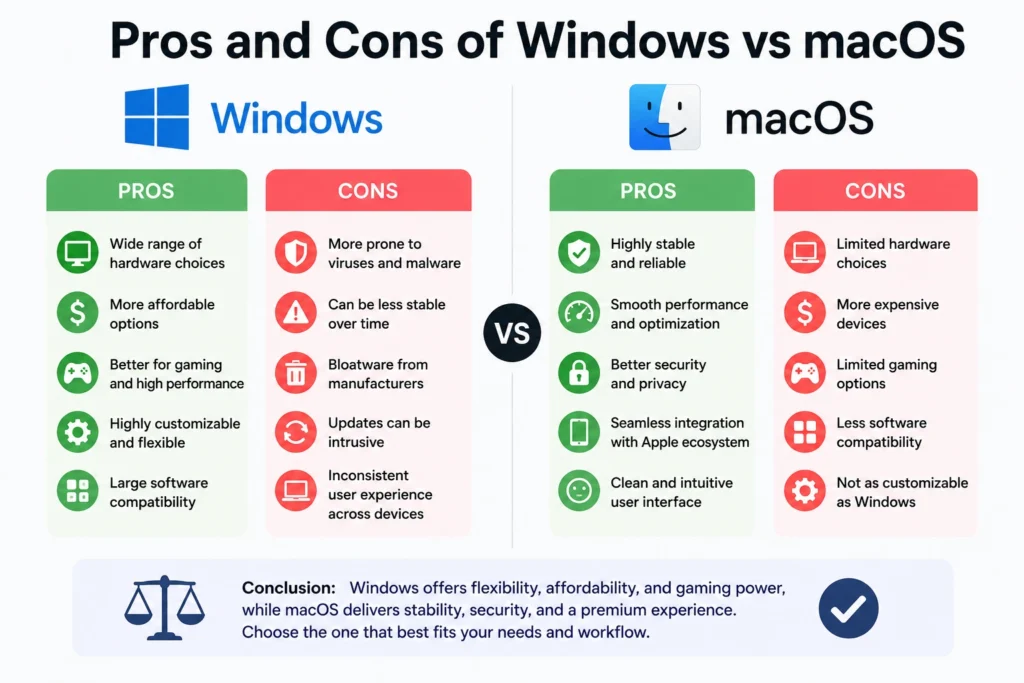
Understanding the strengths and weaknesses of both Windows and macOS is essential before making a final decision. Each operating system has unique advantages depending on user needs, budget, and workflow style. Windows offers flexibility, wide compatibility, and strong gaming support, while macOS focuses on stability, optimization, and seamless ecosystem integration. This section breaks down the key pros and cons so you can clearly see where each system excels and where it has limitations in real-world usage scenarios.
💚 You might also like: Best Email Marketing Tools in 2026 | Top Platforms Compared
Advantages of Windows
Microsoft Windows offers several advantages, including broad hardware compatibility, affordable device options, and extensive software support. It is highly customizable, allowing users to upgrade components and adjust system settings freely. Windows is also the leading platform for gaming and enterprise software, making it suitable for both personal and professional use. Its flexibility ensures that users can choose devices across different price ranges while still accessing powerful tools and applications for productivity and entertainment.
Disadvantages of Windows
Despite its strengths, Windows can suffer from inconsistent performance depending on hardware quality. Lower-end devices may experience slowdowns, and users often need additional antivirus software for protection. System updates can sometimes interrupt workflow, and the wide hardware ecosystem may lead to compatibility issues. While Windows is highly flexible, it requires more maintenance and user attention compared to macOS, especially for users who prefer a simple, plug-and-play experience without frequent configuration adjustments.
Advantages of macOS
macOS delivers a smooth and reliable experience thanks to its deep integration with Apple hardware. It offers excellent performance efficiency, strong security features, and a clean, intuitive interface. macOS is especially popular among creative professionals because of its reliability and smooth workflow. Features like AirDrop, iCloud, and Handoff create a seamless ecosystem across Apple devices, improving productivity and making multitasking easier and more efficient for everyday users.
Disadvantages of macOS
The main drawback of macOS is its high cost, as it only runs on premium Apple devices. It also has limited hardware customization and fewer gaming options compared to Windows. Some software applications are not fully supported or available on macOS, which can be a limitation for certain users. While it offers excellent stability and performance, its closed ecosystem reduces flexibility for users who prefer customization, upgrades, or budget-friendly computing options.
Frequently Asked Questions (FAQs)
Is Windows better than macOS for everyday use?
It depends on your needs. Windows is better for flexibility, affordability, and wide software compatibility, making it ideal for general users. macOS, on the other hand, offers a smoother and more stable experience with better optimization. If you want customization and variety, Windows is better. If you prefer simplicity and reliability, macOS is often the stronger choice for daily use.
Which is faster, Windows or macOS?
Speed depends on hardware and usage. Windows can be extremely fast on high-end systems, especially for gaming and heavy multitasking. macOS feels faster in day-to-day tasks due to tight hardware-software optimization. In real-world usage, macOS is more consistent, while Windows delivers higher peak performance when properly configured with powerful hardware.
Is macOS safer than Windows?
Yes, macOS is generally considered safer due to its closed ecosystem and strict app verification system. However, Windows has significantly improved its security with built-in tools like Windows Defender. While macOS has fewer malware risks, Windows is still secure if users follow best practices and keep their system updated regularly.
Can Windows run macOS applications?
Not directly. Most macOS apps are built exclusively for Apple devices. However, some software is cross-platform and works on both systems. In general, Windows supports a much wider range of applications overall, while macOS focuses more on optimized, professional-grade creative tools.
Which operating system is better for students?
Windows is usually better for students because it is more affordable and supports a wide range of educational and productivity software. However, macOS is also a great option for students in creative fields like design, media, or software development, especially if they are already part of the Apple ecosystem.
Conclusion
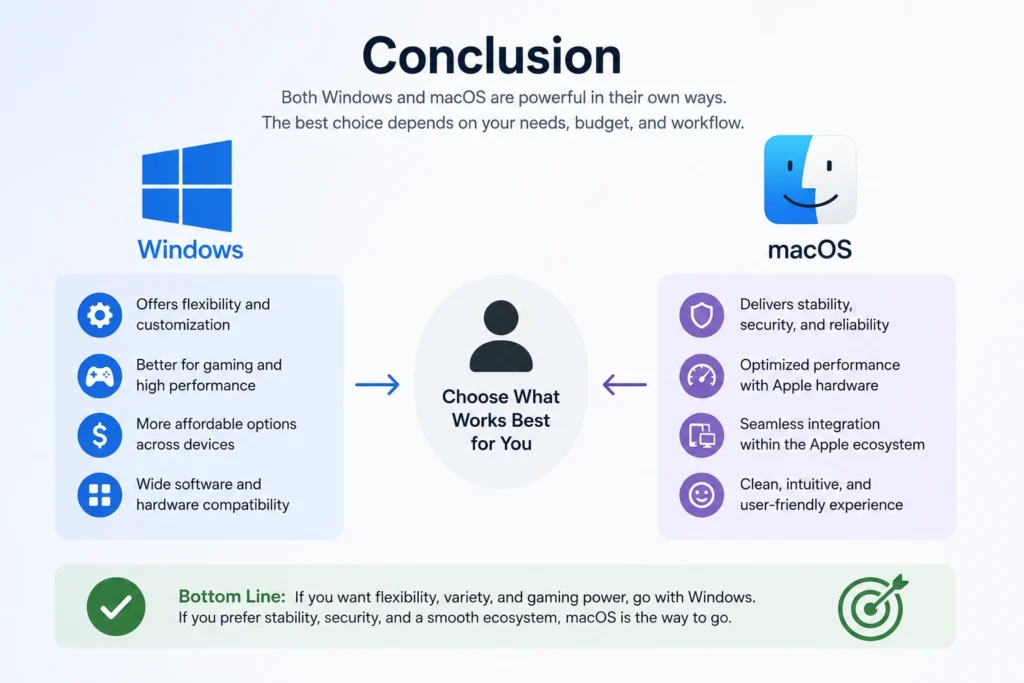
Choosing between Windows and macOS depends entirely on your needs, budget, and daily workflow. Windows is ideal for users who want flexibility, strong gaming performance, and affordable device options, along with wide software compatibility. macOS, however, is designed for those who value stability, premium performance, and seamless integration across Apple devices. Both systems are powerful in their own ways, so there is no universal winner. The best choice comes down to whether you prioritize customization and value for money or a smooth, optimized, and ecosystem-driven user experience overall.
✨ Want bite-sized tech wisdom? Follow Tech Baaz.