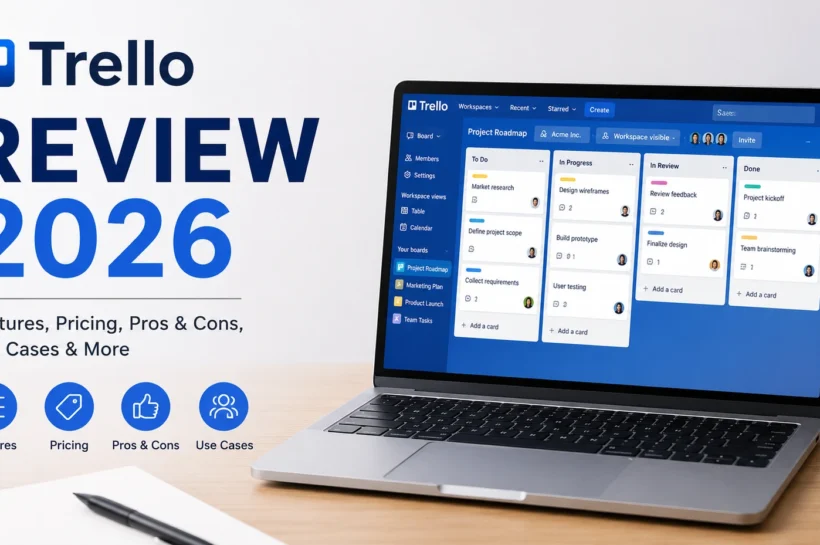

Trello Review 2026: Is It Still Worth Using This Year?
Project management software has become essential for modern teams, but choosing the right platform remains challenging. Trello continues to be one of the most recognized project management tools because of its visual approach and user-friendly interface. Since its acquisition by Atlassian, Trello has evolved beyond simple Kanban boards by introducing automation, AI-powered features, and advanced collaboration tools. According to user review platforms such as G2 and Capterra, Trello consistently maintains ratings above 4.4 out of 5, making it one of the highest-rated project management platforms available. In this review, we’ll explore whether Trello still deserves its reputation in 2026.
How Does Trello Work?
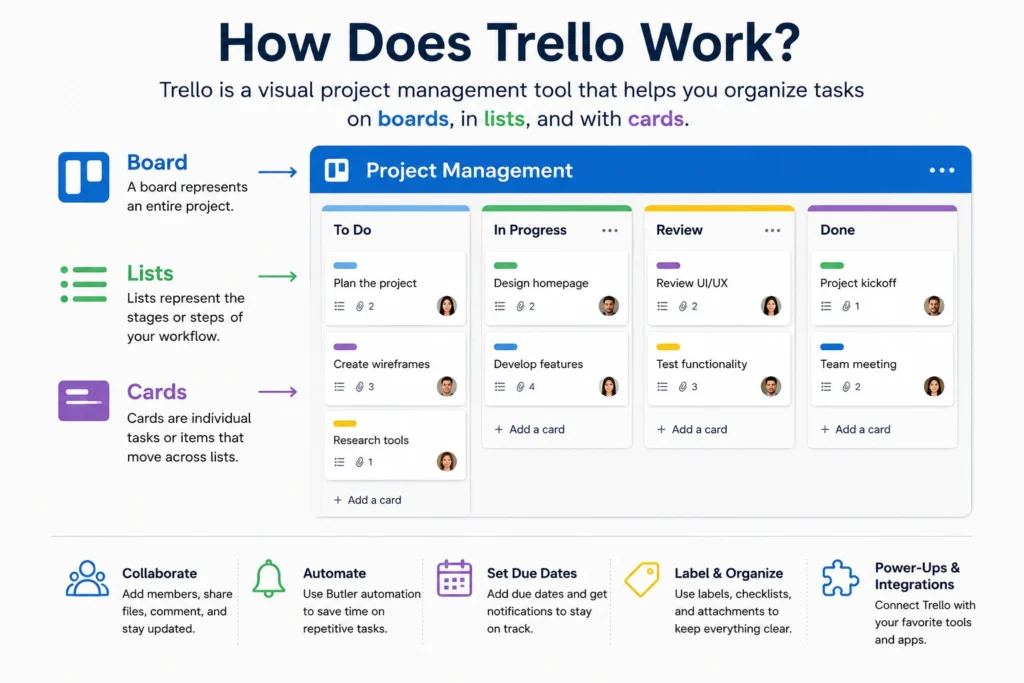
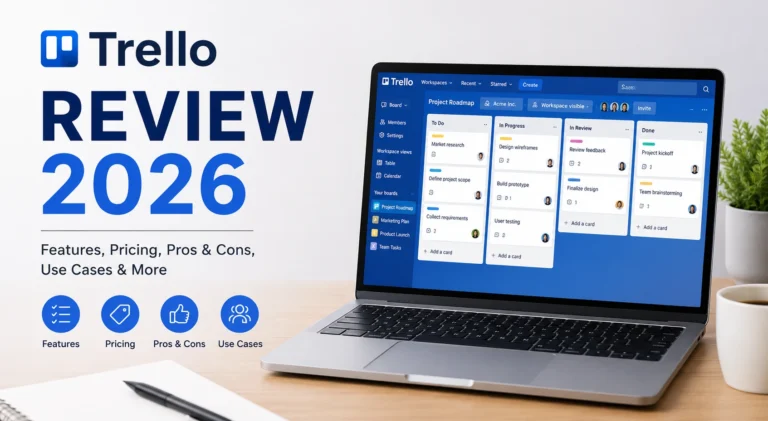
Trello follows a visual project management approach based on the Kanban methodology, allowing users to organize work using boards, lists, and cards. Unlike traditional project management software that often requires extensive training, Trello focuses on simplicity and flexibility. Users can create custom workflows, assign tasks, automate repetitive actions, and collaborate in real time. This visual structure makes project tracking easier for individuals and teams alike. Trello’s straightforward workflow system remains one of the primary reasons why millions of users continue to rely on the platform for both personal and professional projects.
💚 You might also like: Monday.com Review 2026: Our Honest Analysis and Verdict
Boards, Lists, and Cards
The core structure of Trello revolves around boards, lists, and cards. Boards represent entire projects, lists organize different stages of work, and cards contain individual tasks. Users can drag and drop cards between lists to monitor progress visually. This simple yet effective system reduces complexity while providing teams with clear visibility into project status, deadlines, responsibilities, and ongoing work activities.
Workspaces and Team Collaboration
Trello Workspaces enable teams to organize multiple projects within a centralized environment. Team members can collaborate using comments, mentions, file attachments, due dates, and notifications. These collaborative features help improve communication and transparency, especially for remote teams. Research on agile collaboration tools continues to highlight the importance of centralized communication and task visibility for successful project execution.
Automation and Workflows
Trello’s Butler automation system allows users to automate repetitive tasks without writing code. Teams can create rules, scheduled actions, and workflow triggers that automatically update boards and move tasks. Automation helps reduce manual effort while improving consistency across projects. Even small teams can significantly increase productivity by automating routine project management activities using Trello’s built-in workflow tools.
Trello Features
One of Trello’s biggest strengths is its ability to balance simplicity with functionality. While many project management platforms become increasingly complex over time, Trello maintains an intuitive user experience while continuing to expand its capabilities. In 2026, Trello will offer advanced project views, workflow automation, AI-powered productivity tools, collaboration features, and hundreds of integrations. Industry reviews consistently rank Trello among the best visual project management platforms because it allows users to scale their workflows without overwhelming their teams with unnecessary complexity.
Task Management and Kanban Boards
Kanban boards remain Trello’s defining feature. Users can create tasks, assign team members, establish deadlines, add labels, attach files, and monitor progress visually. The drag-and-drop interface reduces learning curves and improves adoption across organizations. This visual project management approach continues to make Trello particularly effective for marketing teams, freelancers, startups, and small businesses worldwide.
Views and Reporting
Trello now supports multiple project views, including Calendar, Timeline, Dashboard, Table, and Map views. These visualization options provide greater insight into project schedules, workloads, and overall performance. Although Trello’s reporting capabilities remain less advanced than some competitors, premium plans offer sufficient analytics for most small and medium-sized teams managing collaborative projects.
Automation, AI, and Integrations
Recent Trello updates have introduced AI-powered productivity features alongside its existing automation capabilities. Users can automate repetitive tasks, generate summaries, organize workflows, and improve productivity using AI assistance. Trello also integrates with major business platforms, including Slack, Google Workspace, Microsoft Teams, Jira, and Zapier, making it highly adaptable for modern business environments.
Templates and Collaboration
Trello offers hundreds of templates designed for project management, marketing campaigns, content planning, software development, and business operations. These templates help teams launch projects quickly without creating workflows from scratch. Combined with built-in collaboration features such as comments, mentions, notifications, and file sharing, Trello provides a practical solution for teams seeking both simplicity and efficiency.
Trello Pricing
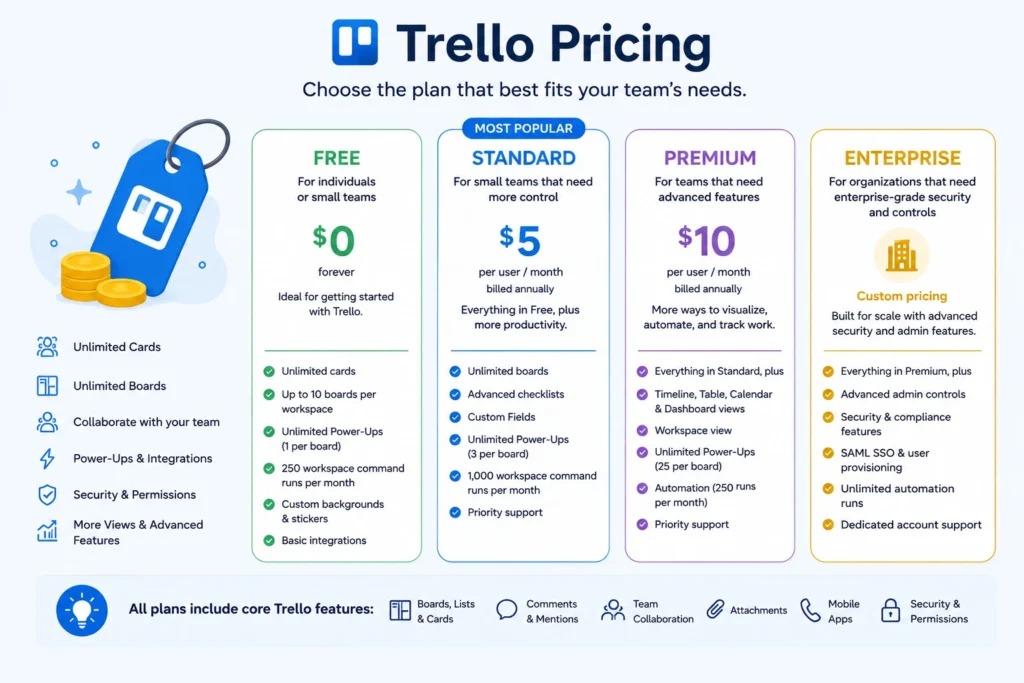
One of Trello’s biggest advantages in 2026 is its flexible pricing structure. Unlike many project management platforms that restrict essential features behind expensive subscriptions, Trello offers plans that cater to individuals, startups, and large enterprises. The platform currently provides Free, Standard, Premium, and Enterprise plans, allowing users to scale their workflows according to their requirements. According to multiple software review platforms, Trello’s free plan remains one of the strongest offerings in the project management industry, particularly for freelancers and small teams that prioritize visual task management and straightforward collaboration workflows.
Free and Paid Plans
Trello’s Free plan supports unlimited cards, up to 10 boards per workspace, automation capabilities, and basic collaboration tools. Paid plans unlock advanced features such as Timeline view, Dashboard view, unlimited workspaces, enhanced security controls, and AI-powered productivity tools. This pricing flexibility allows organizations to adopt Trello gradually while expanding functionality as their operational requirements increase.
Is Trello Good Value for Money?
For individuals and small businesses, Trello offers excellent value because of its intuitive interface and affordable pricing. However, organizations managing complex projects may eventually require additional Power-Ups or third-party tools, increasing total costs. Industry reviewers consistently rate Trello highly for affordability, especially when compared with enterprise-focused project management solutions.
Trello Comparison Table
Choosing the right project management software often requires comparing multiple platforms side by side. While Trello remains one of the easiest project management tools to learn, competitors offer additional features designed for larger teams and more complex workflows. Trello excels in visual task management, but platforms like Asana, Monday.com, and ClickUp provide stronger reporting, dependencies, and resource management capabilities. Understanding these differences helps organizations select software that aligns with their team size, workflow complexity, budget, and long-term project management goals.
| Feature | Trello | Asana | Monday.com | ClickUp |
| Ease of Use | Excellent | Very Good | Good | Moderate |
| Kanban Boards | Excellent | Good | Excellent | Excellent |
| Automation | Very Good | Excellent | Excellent | Excellent |
| Reporting | Basic | Advanced | Advanced | Advanced |
| Task Dependencies | Limited | Yes | Yes | Yes |
| AI Features | Available | Available | Available | Available |
| Best For | Small Teams | Growing Teams | Businesses | Advanced Users |
Trello Use Cases
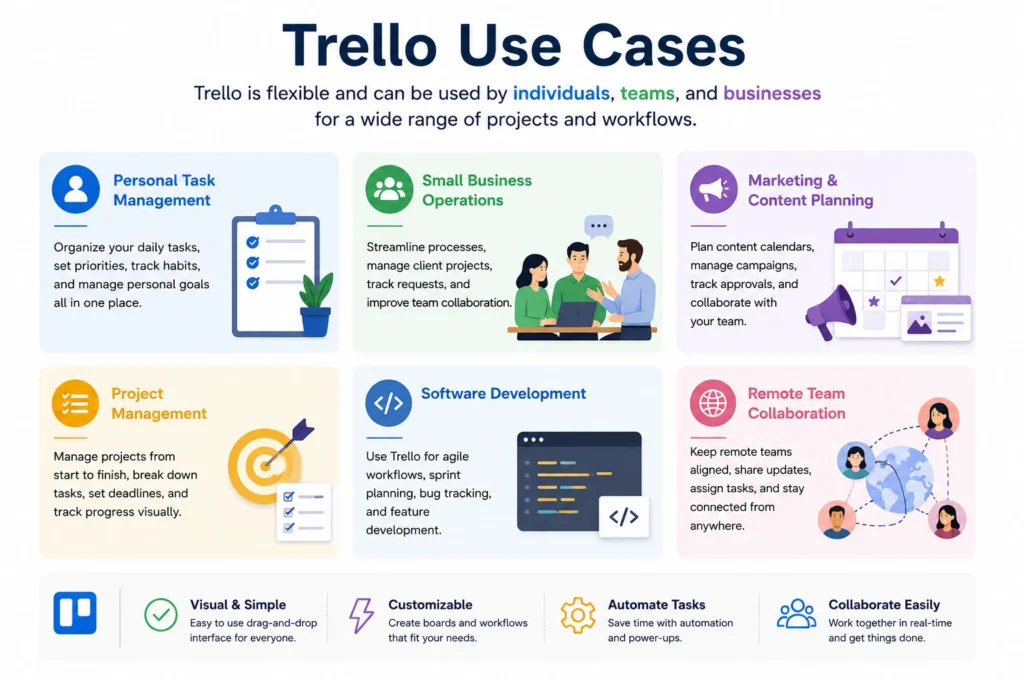
One reason Trello has maintained its popularity for more than a decade is its versatility. Unlike specialized project management software designed for specific industries, Trello can adapt to various workflows and team structures. From personal productivity systems to business operations and marketing campaigns, organizations continue to use Trello because of its visual simplicity and flexible customization options. Recent user reviews on G2 and Capterra indicate that Trello performs particularly well for teams with fewer than ten members and projects that do not require complex dependency management.
💚 You might also like: Asana Review 2026: Is It Worth It for Your Team?
Personal Task Management
Many professionals use Trello as a personal productivity tool for organizing daily tasks, weekly goals, study schedules, and long-term projects. The visual Kanban approach provides clear visibility into progress while reducing task overload. Trello’s mobile applications and reminders further improve personal productivity management across multiple devices and work environments.
Small Business Teams
Small businesses frequently adopt Trello because of its affordability, simple onboarding process, and collaborative capabilities. Teams can manage operations, client projects, internal processes, and business workflows without requiring dedicated project management specialists. Trello’s flexibility makes it particularly attractive for startups and growing organizations seeking cost-effective project management solutions.
Marketing and Content Planning
Marketing teams commonly use Trello to organize content calendars, social media campaigns, editorial workflows, and promotional activities. Visual boards help teams track content progress from planning to publication. Many agencies continue to rely on Trello because it simplifies collaboration between writers, editors, designers, and project managers.
Project Management
Although Trello is not designed for enterprise-level project management, it remains highly effective for straightforward project execution. Teams can organize deliverables, assign responsibilities, monitor deadlines, and automate recurring processes. Agile teams particularly benefit from Trello’s Kanban structure because it supports iterative workflows and continuous task management practices.
Remote Team Collaboration
Remote and hybrid teams continue to adopt Trello because it centralizes communication and project tracking within a visual workspace. Features such as comments, mentions, file sharing, notifications, and integrations improve team coordination regardless of location. Research on collaboration technologies consistently demonstrates the importance of centralized workflow visibility for distributed teams.
Trello Pros and Cons
Every project management platform has strengths and limitations, and Trello is no exception. Its greatest advantage remains its simplicity, allowing users to organize projects visually without requiring extensive training or technical expertise. Trello also offers powerful automation, flexible integrations, and an excellent free plan. However, users managing highly complex projects may find some advanced project management capabilities lacking compared to competitors like ClickUp or Asana. Understanding both the benefits and drawbacks of Trello helps businesses and individuals determine whether the platform aligns with their workflow requirements and long-term project management goals.
Pros
- User-friendly interface
- Excellent Kanban board system
- Strong free plan
- Powerful automation features
- Extensive integrations
- Great for collaboration
- Available across multiple devices
Cons
- Limited advanced reporting
- Basic resource management
- Complex projects may require additional tools
- Some advanced features require paid plans
- Dependency management is less robust than its competitors
Why Choose Trello?
Trello remains one of the best project management tools for users who value simplicity, flexibility, and visual organization. Unlike many competitors that require extensive onboarding, Trello allows teams to start managing projects within minutes. Its drag-and-drop interface, automation tools, templates, and integrations create an efficient workflow without overwhelming users with unnecessary complexity. Whether you’re a freelancer, startup founder, marketer, or project manager, Trello offers a practical balance between ease of use and functionality. For teams that prioritize collaboration and productivity over enterprise-level complexity, Trello continues to deliver exceptional value in 2026.
Is Trello Worth It for you?
In 2026, Trello remains a highly competitive project management platform, particularly for individuals, startups, and small to medium-sized teams. While enterprise organizations with complex workflows may require more advanced solutions, Trello continues to excel in visual task management, team collaboration, and workflow automation. Its affordable pricing structure and generous free plan make it accessible to a wide range of users. Considering its continuous feature improvements, AI enhancements, and integration ecosystem, Trello still offers strong value and remains one of the most practical project management tools available today.
Frequently Asked Questions (FAQs)
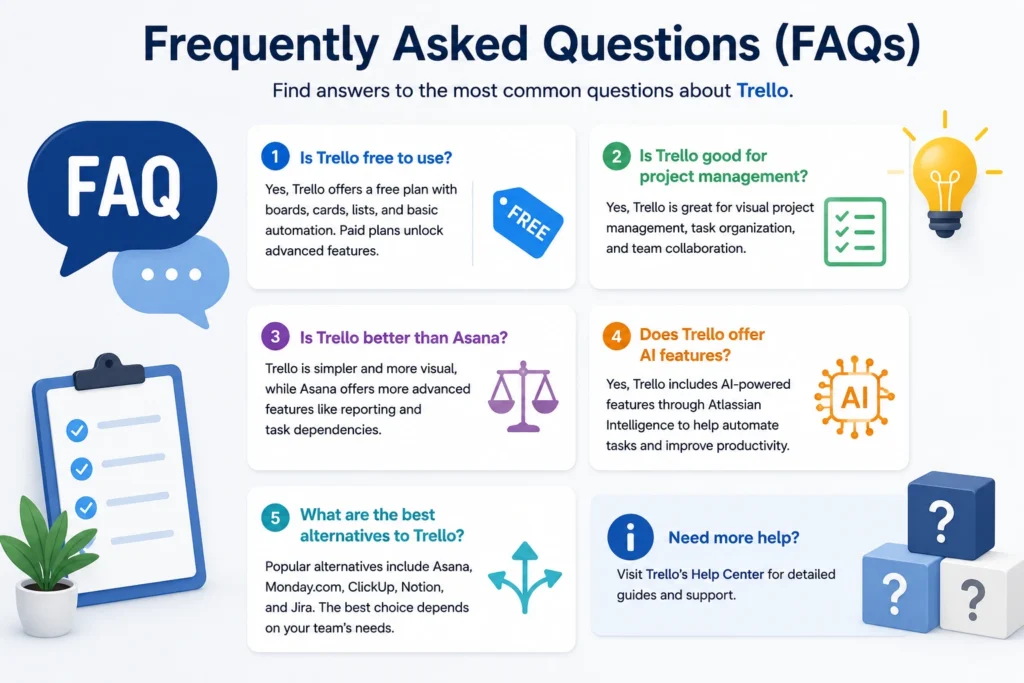
Is Trello free to use?
Yes, Trello offers a free plan that includes boards, cards, collaboration tools, and basic automation features. It is suitable for individuals and small teams with simple project management needs.
Is Trello good for project management?
Yes, Trello is highly effective for visual project management. Its Kanban-based system helps users organize tasks, track progress, and collaborate efficiently.
Is Trello better than Asana?
Trello is better for users who prefer simplicity and visual workflows, while Asana offers more advanced project management and reporting features.
Does Trello offer AI features?
Yes, Trello includes AI-powered features through Atlassian Intelligence, helping users automate tasks, generate summaries, and improve productivity.
What are the best alternatives to Trello?
Popular Trello alternatives include Asana, Monday.com, ClickUp, Notion, and Jira. The best choice depends on your team’s size and project requirements.
Conclusion
Trello remains one of the best visual project management tools in 2026. Its user-friendly interface, flexible workflows, automation features, and affordable pricing make it an excellent choice for freelancers, small businesses, and collaborative teams. While it may not offer every advanced enterprise feature, Trello continues to provide outstanding value for most users.
✨ Want bite-sized tech wisdom? Follow Tech Baaz.