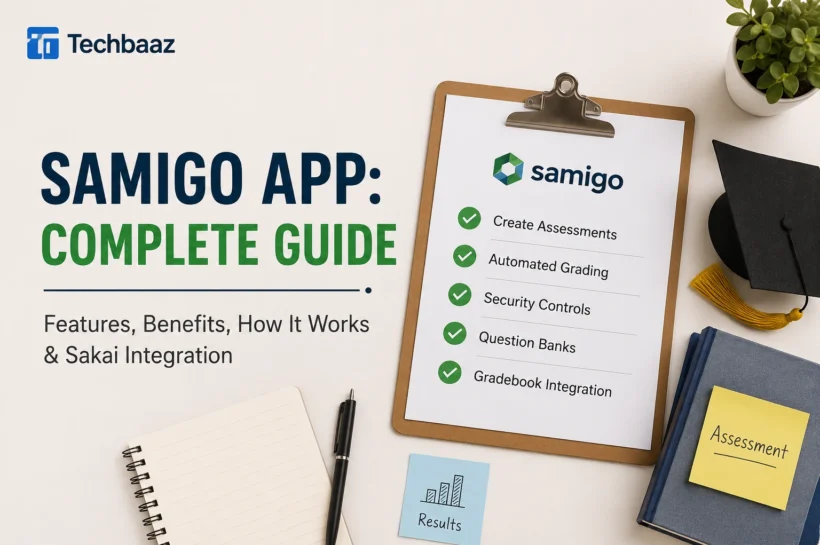

What Is the Samigo App? Complete Features & Benefits Guide
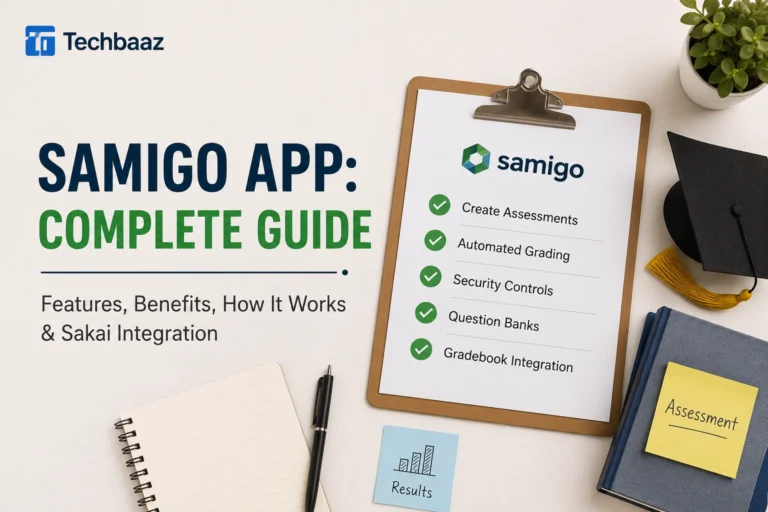
The Samigo App is a powerful online assessment tool built into the Sakai Learning Management System (LMS), designed to help educators create, deliver, and evaluate digital assessments from a single platform. It supports quizzes, exams, surveys, practice tests, and self-assessments, making it suitable for schools, colleges, and universities. In addition to flexible assessment creation, Samigo offers automated grading, reusable question pools, randomized questions, customizable feedback, and direct Gradebook integration. According to the official Sakai documentation, these capabilities simplify assessment management, improve grading accuracy, and create a more organized teaching workflow while providing students with a reliable and engaging online testing experience.
How the Samigo App Works
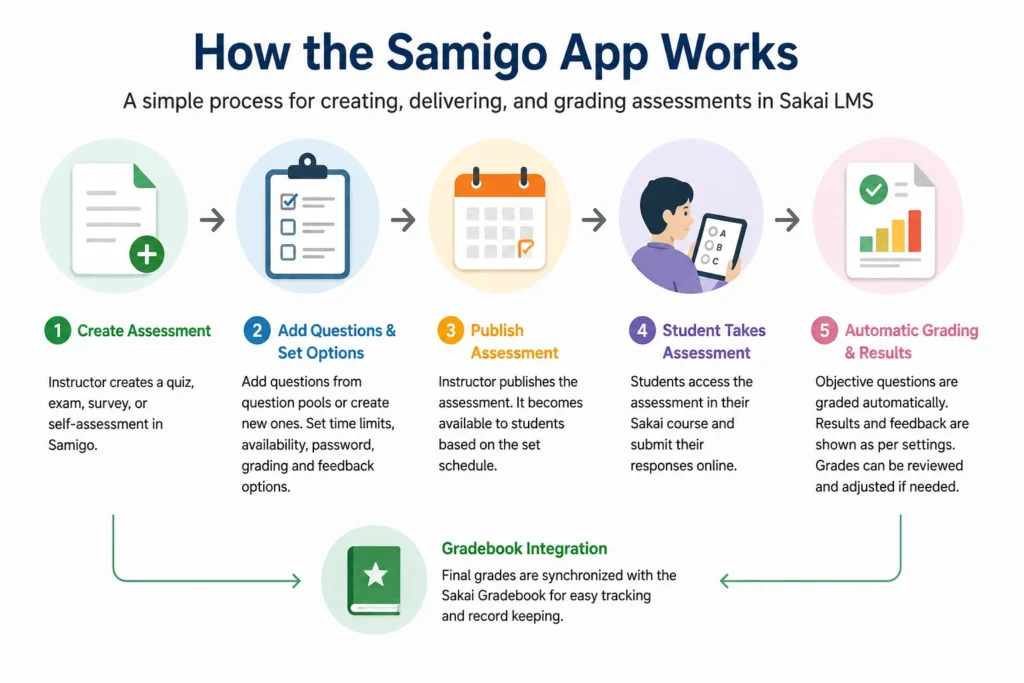
The Samigo App works as the Tests & Quizzes component within Sakai, allowing instructors to manage the complete assessment process without switching between different applications. Teachers can create assessments, choose from multiple question types, organize reusable question pools, and configure options such as availability dates, time limits, passwords, grading methods, and feedback settings. After publishing an assessment, students access it directly through their Sakai course dashboard and submit their responses online. Objective questions are graded automatically, while essay responses can be reviewed manually. The final scores are then synchronized with the Sakai Gradebook, reducing administrative work and improving overall course management.
💚 You might also like: Guide to Building an Online Brand: Proven Strategies
Key Features of the Samigo App
The Samigo App combines several advanced assessment features into one easy-to-use platform, helping educators save time while delivering high-quality online evaluations. Instead of relying on separate tools for exam creation, grading, and reporting, instructors can manage every stage of the assessment process within Sakai. The platform supports customizable assessments, reusable question banks, automated grading, detailed feedback, security controls, and Gradebook integration. These features improve efficiency, maintain academic integrity, and create a smoother learning experience for both educators and students, making Samigo a dependable assessment solution for modern educational institutions.
Assessment Creation
Samigo allows instructors to build professional online assessments using a wide variety of question formats, including multiple-choice, true or false, matching, fill-in-the-blank, short answer, and essay questions. Educators can also create reusable question pools, organize questions into categories, and randomize their order for each student. These capabilities make assessment creation more efficient while supporting diverse teaching strategies and reducing the time required to prepare future quizzes and examinations.
Automated Grading and Feedback
Automated grading is one of Samigo’s most valuable features because it instantly evaluates objective question types after students submit their assessments. Instructors can choose when feedback becomes available and customize what students see, including scores, correct answers, and explanations. This automation improves grading consistency, reduces manual effort, and provides students with timely feedback that supports continuous learning and helps them identify areas for improvement.
Security and Access Controls
Samigo includes several built-in security features that help educators conduct fair and secure online assessments. Instructors can set passwords, enforce time limits, restrict assessment availability, control the number of submission attempts, and randomize both questions and answer choices. These settings help minimize opportunities for academic dishonesty while giving institutions greater flexibility to implement assessment policies that align with their educational standards and examination requirements.
Samigo App Integration with Sakai
One of the biggest strengths of the Samigo App is its seamless integration with the Sakai Learning Management System (LMS). Since Samigo is a native Sakai tool rather than a third-party plugin, instructors can access it directly from their course workspace without installing additional software. Assessments, student records, and grades remain within the same learning environment, creating a smoother workflow for both educators and learners. This integration also supports automatic Gradebook synchronization, course-specific permissions, and centralized management, helping institutions reduce administrative complexity while providing a consistent and reliable online learning experience across multiple courses.
Benefits of Using the Samigo App
The Samigo App offers more than just digital testing capabilities. It improves the entire assessment process by helping educators create engaging evaluations, automate repetitive tasks, and monitor student progress more effectively. Because the platform is integrated with Sakai, institutions can manage assessments, grades, and course activities from one centralized location. Students also benefit from a structured testing environment with timely feedback and flexible access to assessments. Whether used in small classrooms or large universities, Samigo increases efficiency, supports academic integrity, and enhances the overall teaching and learning experience for everyone involved.
Benefits for Teachers
Samigo simplifies assessment management by allowing teachers to create quizzes, exams, and surveys using an intuitive interface. Automated grading for objective questions significantly reduces administrative work, while reusable question pools and customizable assessment settings save preparation time. Built-in reporting tools also help instructors monitor student performance, identify learning gaps, and make informed decisions that improve teaching effectiveness throughout the academic term.
Benefits for Students
Students benefit from a convenient and organized online assessment experience. They can complete quizzes and exams from within their Sakai course while receiving timely feedback based on instructor settings. Clear instructions, consistent navigation, and secure submission processes improve the overall testing experience. Practice assessments and instant scoring also help students measure their understanding, identify weak areas, and prepare more effectively for future examinations.
Benefits for Institutions
Educational institutions gain a scalable assessment platform that supports consistent evaluation across departments and academic programs. Since Samigo is built into Sakai, IT teams can manage assessments without relying on multiple third-party tools. Automated workflows reduce administrative costs, centralized data improves reporting, and standardized assessment processes help institutions maintain academic quality while supporting both in-person and online learning environments.
Creating and Managing Assessments
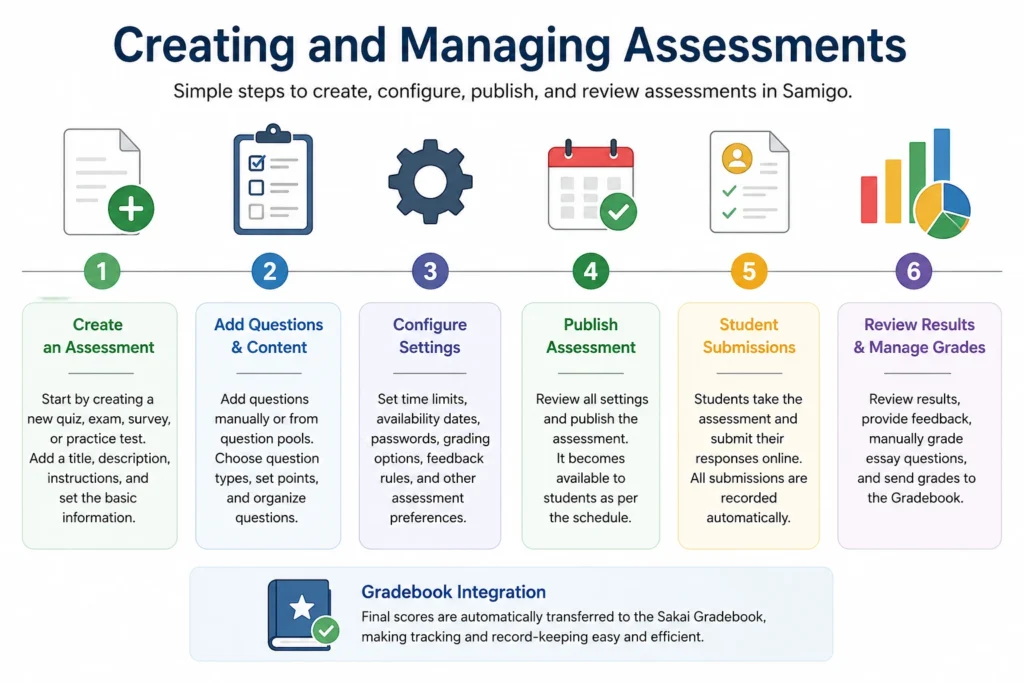
Creating assessments in Samigo is designed to be both flexible and efficient, allowing educators to build everything from short quizzes to comprehensive final examinations. The platform provides complete control over question selection, grading rules, availability settings, and feedback options while keeping the entire workflow within Sakai. Instructors can also reuse existing question pools, organize assessments by course objectives, and monitor submissions from a centralized dashboard. These capabilities reduce repetitive work, improve consistency, and help educators deliver well-structured assessments that align with their teaching goals and institutional requirements.
💚 You might also like: Schedow 2026: A Practical Guide to Modern Scheduling
Create an Assessment
Creating a new assessment begins by selecting the Tests & Quizzes tool within Sakai and choosing the option to build a new quiz or exam. Instructors can define the assessment title, description, instructions, availability dates, and scoring preferences before adding questions. This structured setup process ensures every assessment is organized and ready for students before publication.
Configure Assessment Settings
Samigo provides extensive configuration options that allow instructors to customize every assessment according to course requirements. Teachers can set time limits, assign passwords, restrict the number of attempts, randomize questions, determine grading methods, and control when feedback becomes visible. These settings help create secure, fair, and well-managed online assessments while supporting different instructional strategies and academic policies.
Publish and Review Results
After reviewing all assessment settings, instructors can publish the assessment and make it available to enrolled students. Once submissions are received, Samigo automatically grades supported question types while storing detailed performance data for instructor review. Teachers can analyze individual responses, review overall class performance, and transfer grades directly to the Sakai Gradebook, making the evaluation process faster, more accurate, and easier to manage.
Best Practices for Online Assessments
Creating an effective online assessment involves more than simply adding questions to a quiz. A well-designed assessment should accurately measure learning outcomes while providing a fair and engaging experience for every student. With the Samigo App, instructors can apply best practices such as using a balanced mix of question types, setting realistic time limits, randomizing questions, and providing meaningful feedback. Regularly updating question pools and aligning assessments with course objectives also improves reliability. By combining thoughtful assessment design with Samigo’s built-in security and grading features, educators can enhance student learning while maintaining academic integrity throughout the evaluation process.
Samigo App vs Other Assessment Tools
The Samigo App competes with several online assessment platforms, but its biggest advantage is its deep integration with the Sakai Learning Management System. Unlike standalone tools that often require separate accounts or paid subscriptions, Samigo works directly within the existing course environment, allowing instructors to manage assessments, grades, and student records from one location. While platforms such as Google Forms, Moodle Quiz, and Canvas Quizzes offer similar testing capabilities, Samigo is specifically designed for Sakai users, making it a practical and efficient solution for institutions already using the Sakai ecosystem.
| Feature | Samigo App | Google Forms | Moodle Quiz | Canvas Quizzes |
| LMS Integration | Native Sakai Integration | Limited | Native Moodle | Native Canvas |
| Automated Grading | Yes | Yes | Yes | Yes |
| Question Pools | Yes | Limited | Yes | Yes |
| Gradebook Integration | Yes | Limited | Yes | Yes |
| Advanced Security Controls | Yes | Basic | Yes | Yes |
| Best For | Sakai Institutions | Simple Surveys | Moodle Users | Canvas Users |
Frequently Asked Questions (FAQs)
Is the Samigo App free to use?
Yes. The Samigo App is included as part of the Sakai Learning Management System, so institutions using Sakai can access it without purchasing a separate assessment platform. Availability depends on how each organization has configured its Sakai environment.
Can students access Samigo on any device?
Yes. Students can access Samigo through a modern web browser on desktops, laptops, tablets, and many mobile devices. However, instructors often recommend using a computer with a stable internet connection for longer or high-stakes examinations.
Does Samigo support automatic grading?
Yes. Samigo automatically grades objective question types such as multiple-choice, true/false, matching, and fill-in-the-blank questions. Essays and other subjective responses can be reviewed and graded manually by instructors.
Is the Samigo App secure for online exams?
Yes. Samigo includes several security features, including passwords, time limits, assessment availability windows, submission controls, randomized questions, and randomized answer choices. These options help instructors conduct more secure and reliable online assessments.
Can Samigo integrate with the Sakai Gradebook?
Absolutely. One of Samigo’s strongest features is its seamless integration with the Sakai Gradebook. Assessment scores can be transferred automatically, reducing manual work while keeping student records accurate and up to date.
Conclusion
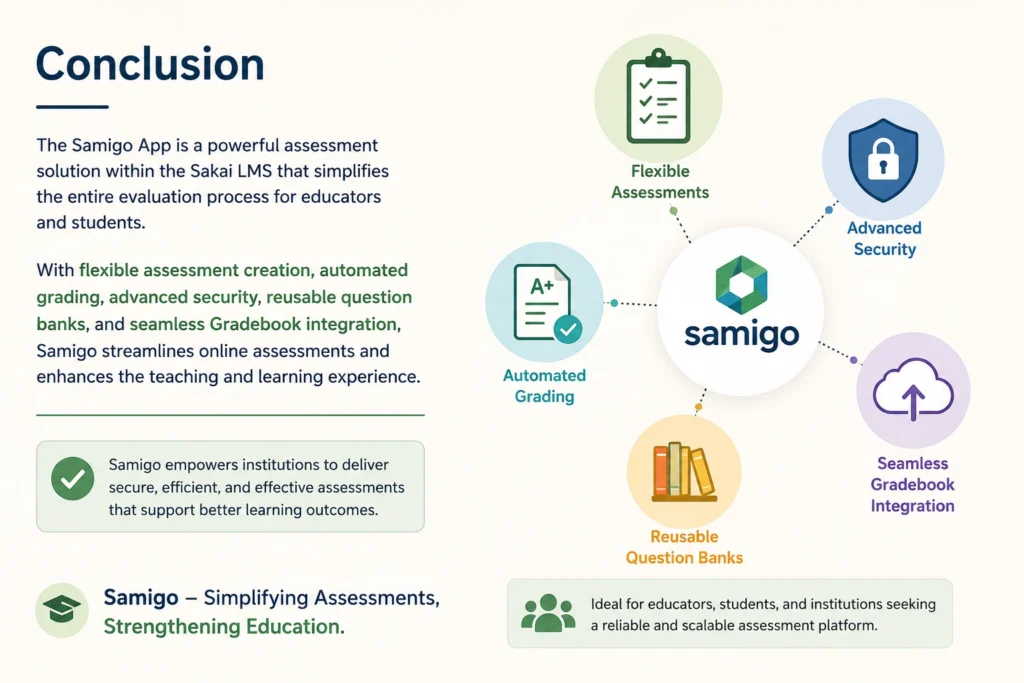
The Samigo App has become a trusted assessment solution for educational institutions that rely on the Sakai Learning Management System. With features like flexible assessment creation, automated grading, reusable question banks, advanced security settings, and seamless Gradebook integration, Samigo makes the entire online assessment process more efficient and easier to manage. Whether you’re an instructor managing multiple courses, a student completing digital assessments, or an institution seeking a scalable testing platform, Samigo delivers the tools needed to support effective teaching and learning. As online education continues to grow, platforms like Samigo will remain essential for creating secure, efficient, and engaging assessment experiences that meet the evolving needs of modern education.
✨ Want bite-sized tech wisdom? Follow Tech Baaz.