
Best AI Presentation Makers in 2026: Top Tools Compared
Creating a professional presentation no longer requires hours of designing slides, organizing content, and searching for visuals. AI presentation makers have transformed the process by helping users generate complete presentations from simple prompts, documents, or outlines. These tools use artificial intelligence to create content, suggest layouts, and maintain visual consistency across slides. As businesses, educators, marketers, and students continue adopting AI-powered solutions, presentation software has become smarter and more efficient. In this guide, we will explore the best AI presentation makers available today and compare their features, strengths, and ideal use cases to help you choose the right tool.
What Are AI Presentation Makers?
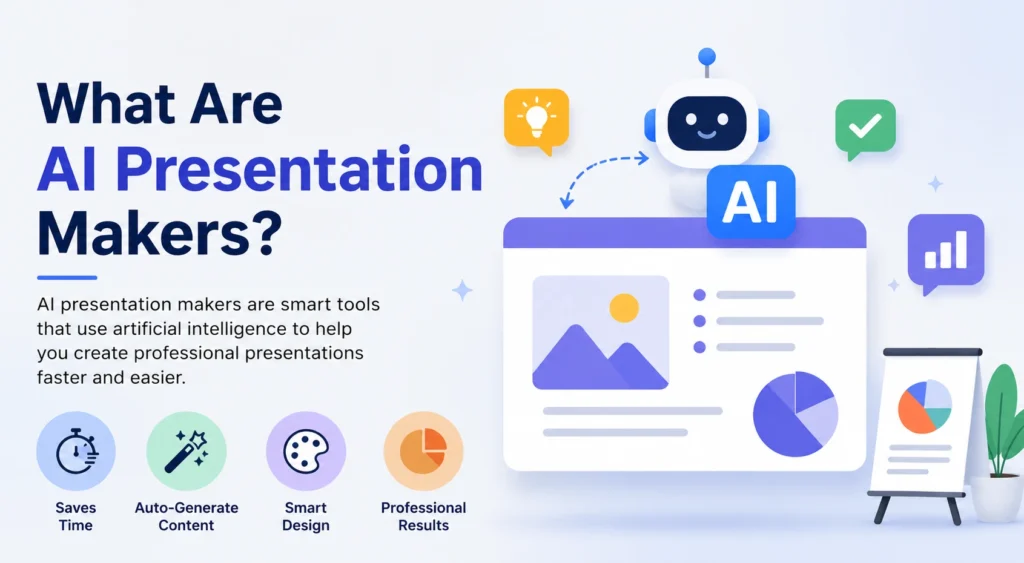
AI presentation makers are software platforms that use artificial intelligence to automate presentation creation. Instead of manually building every slide, users can provide a topic, prompt, document, or brief description, and the software generates a structured presentation within minutes. Most modern tools can create slide content, recommend images, design layouts, and organize information automatically. This technology helps users save time while maintaining a professional appearance. Whether you are preparing a business proposal, sales pitch, educational lesson, or project report, AI presentation makers simplify the process and allow you to focus more on delivering your message effectively.
💚 You might also like: What Is the Samigo App? Complete Features & Benefits Guide
Benefits of AI Presentation Tools
AI presentation tools offer several advantages that make them appealing to both individuals and organizations. The most significant benefit is speed, as users can create presentations much faster than with traditional software. These tools also improve design consistency by automatically applying professional layouts and formatting. Many platforms help overcome creative blocks by generating slide ideas and content suggestions. Additionally, AI-powered tools reduce repetitive tasks, allowing users to focus on strategy and storytelling. For businesses that frequently create presentations, this can lead to improved productivity, stronger brand consistency, and more efficient collaboration across teams and departments.
Key Features to Look For
Not all AI presentation makers provide the same capabilities, which makes feature evaluation an important step before choosing a platform. The best tools combine content generation, design automation, collaboration features, and customization options. Some platforms focus on creating visually impressive presentations, while others prioritize workflow efficiency and team collaboration. Export flexibility, branding controls, and integration with existing software can also influence the user experience. Understanding these core features will help you identify a tool that aligns with your presentation goals. A well-rounded platform should balance automation with enough flexibility to maintain creative control over the final presentation.
AI Content Generation
AI content generation is one of the most valuable features in modern presentation software. Users can enter a topic, prompt, or document, and the system automatically creates slide titles, key points, and supporting content. This feature significantly reduces research and drafting time while helping users organize ideas into a logical presentation structure. Although AI-generated content often provides a strong starting point, reviewing and refining the information ensures accuracy, relevance, and alignment with your presentation goals.
Design & Customization
Design and customization features help users create visually appealing presentations without advanced design experience. AI tools automatically suggest layouts, typography, color schemes, and visual elements that improve slide quality. At the same time, users can customize templates, fonts, images, and branding elements to match their preferences. This combination of automation and flexibility allows presentations to maintain a professional appearance while still reflecting the unique style, messaging, and identity of an individual or organization.
Collaboration & Sharing
Collaboration and sharing capabilities are essential for teams that work on presentations together. Many AI presentation makers support real-time editing, comments, feedback management, and version tracking. These features make it easier for multiple stakeholders to contribute without creating workflow bottlenecks. Modern platforms also provide various sharing options, including online links, PDF exports, and PowerPoint compatibility. Effective collaboration tools help teams streamline presentation development while ensuring consistency across projects and departments.
Top AI Presentation Makers
The AI presentation software landscape has grown significantly, offering users a variety of tools tailored to different presentation needs. Some platforms focus on generating complete presentations from prompts, while others specialize in design automation, collaboration, or integration with popular software like PowerPoint and Google Slides. Leading solutions such as Gamma, Plus AI, Beautiful.ai, and Canva have gained attention for their ability to simplify presentation creation while maintaining professional quality. Each Each platform brings its own advantages, making a careful feature comparison essential before choosing one. The following sections provide a detailed review of the top AI presentation makers available today.
Gamma Review
Gamma has quickly become one of the most popular AI presentation makers because it goes beyond traditional slide creation. Instead of relying on static slides, Gamma creates interactive presentations that feel more like modern web pages. Users can generate complete decks from a simple prompt, document, or outline within minutes. The platform automatically handles formatting, visual hierarchy, and content organization, making it ideal for professionals who want polished presentations without spending hours on design. Gamma also supports embedded media, analytics, and collaboration features, making it a strong choice for startups, consultants, marketers, and business teams.
Plus AI Review
Plus AI stands out because it integrates directly with Google Slides and Microsoft PowerPoint rather than requiring users to learn a completely new platform. This approach makes adoption easier for teams already familiar with traditional presentation software. Users can generate presentations, rewrite slide content, create outlines, and improve existing decks using AI-powered tools. The platform focuses heavily on productivity and workflow efficiency, helping professionals save time without changing their preferred presentation environment. For organizations that depend on Google Workspace or Microsoft 365, Plus AI offers one of the most seamless ways to incorporate artificial intelligence into presentation creation.
Beautiful.ai vs Canva
Beautiful.ai and Canva are two of the most recognized names in presentation design, but they serve different audiences. Beautiful.ai focuses on intelligent slide design by automatically adjusting layouts and maintaining visual consistency. This makes it ideal for users who want professional presentations with minimal effort. Canva, on the other hand, offers a broader design ecosystem that includes presentations, social media graphics, videos, and marketing assets. While Canva provides greater creative flexibility, Beautiful.ai excels at automated presentation design. The right choice depends on whether you prioritize presentation-focused automation or access to a more comprehensive design platform.
| Feature | Beautiful.ai | Canva |
| AI Design Automation | Excellent | Good |
| Template Variety | Good | Excellent |
| Ease of Use | Excellent | Excellent |
| Branding Tools | Very Good | Very Good |
| Collaboration | Good | Excellent |
| Overall Presentation Focus | Excellent | Good |
AI Presentation Tools vs Traditional Software
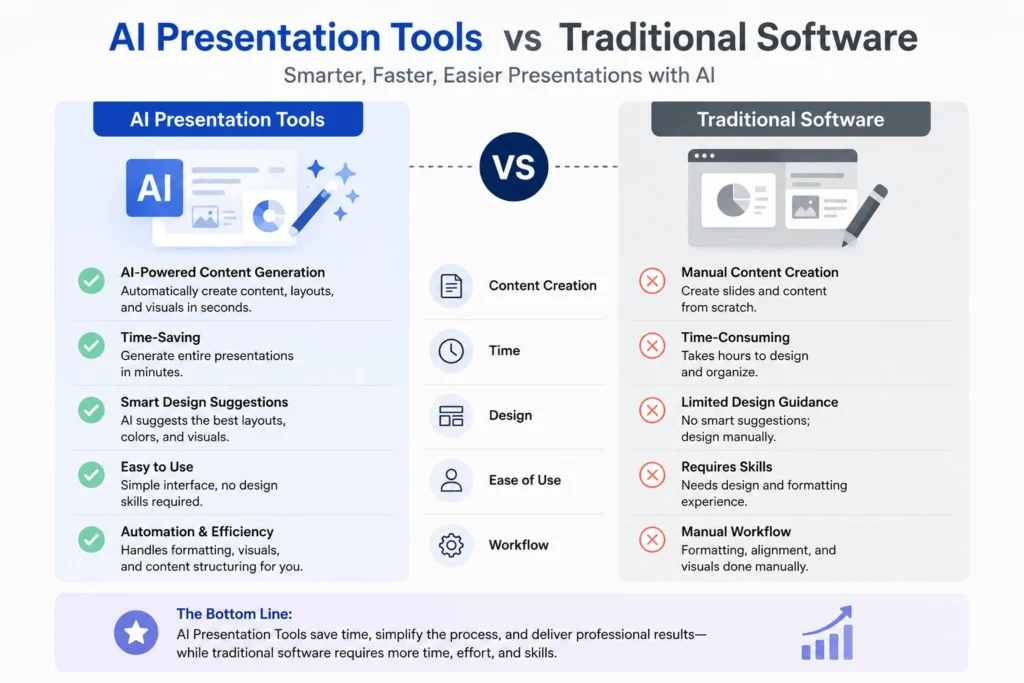
AI presentation tools and traditional presentation software ultimately serve the same purpose, but they approach presentation creation very differently. Traditional platforms like PowerPoint and Google Slides give users complete control over every design element, which can be beneficial for highly customized projects. However, this flexibility often requires more time and design effort. AI presentation makers automate much of the process by generating content, organizing layouts, and suggesting visuals automatically. For users who value speed and efficiency, AI tools offer a significant advantage. Traditional software remains valuable for advanced customization, but AI-powered platforms are becoming the preferred choice for many professionals.
💚 You might also like: Guide to Building an Online Brand: Proven Strategies
| Feature | AI Presentation Tools | Traditional Software |
| Content Creation | Automated | Manual |
| Slide Design | AI-Assisted | User-Controlled |
| Time Required | Low | High |
| Learning Curve | Low | Moderate |
| Customization | Moderate | Extensive |
| Productivity | High | Moderate |
Pros and Cons of AI Presentation Makers
AI presentation makers offer significant advantages, but they are not perfect for every situation. Their biggest strength is the ability to save time by automating content creation, slide design, and presentation structure. Many tools also help maintain consistency and improve visual quality, even for users with limited design experience.However, AI-generated presentations often benefit from manual refinements to improve accuracy, enhance messaging, and optimize visual elements. Some platforms also have limitations in customization compared to traditional software. Understanding both the benefits and limitations helps users set realistic expectations and choose the right tool for their specific needs.
Pros
AI presentation makers can dramatically reduce the time required to build professional presentations. They automate repetitive tasks such as formatting, layout creation, and content organization, allowing users to focus on their message. Many platforms also improve design consistency and help users overcome creative blocks. For businesses and teams that regularly create presentations, these efficiency gains can improve productivity while maintaining a professional and polished appearance across multiple projects.
Cons
Despite their advantages, AI presentation tools are not completely hands-off solutions. Generated content may occasionally contain inaccuracies, generic messaging, or formatting choices that require adjustment. Some platforms also restrict advanced customization options, which can frustrate experienced designers. Additionally, premium features often require paid subscriptions. Users should view AI as a productivity assistant rather than a complete replacement for human review, creativity, and presentation strategy.
How to Choose the Right Tool
Choosing the right AI presentation maker comes down to your specific goals, workflow preferences, and presentation needs. Some users prioritize speed, while others need advanced branding controls, collaboration features, or seamless integration with existing software. Before making a decision, consider how frequently you create presentations and which features will have the greatest impact on your productivity. Evaluating your specific use case helps narrow down the available options and prevents you from paying for features you may never use. The ideal platform should balance automation, customization, ease of use, and value while supporting the type of presentations you create most often.
For Students
Students often need presentation tools that are easy to use, affordable, and capable of generating content quickly. Platforms like Gamma and Canva are popular choices because they simplify slide creation while offering attractive templates and AI-powered assistance. These tools can help students organize research, create project presentations, and deliver professional-looking assignments without spending excessive time on design or formatting tasks.
For Business Users
Business professionals typically require presentation tools that support productivity, collaboration, and brand consistency. Solutions such as Plus AI and Beautiful.ai are well suited for this audience because they streamline workflow while maintaining a polished appearance. Features like team collaboration, template management, and integration with PowerPoint or Google Slides can help organizations create presentations more efficiently across departments.
For Marketing Teams
Marketing teams often need visually engaging presentations that align with brand guidelines and support campaign objectives. Canva is a strong option because it combines presentation design with broader marketing asset creation. Gamma can also be valuable for creating interactive presentations that stand out during client meetings, sales pitches, and stakeholder presentations. The right tool depends on how much creative flexibility your team requires.
Frequently Asked Questions
What is the best AI presentation maker?
Gamma is a top choice for interactive presentations, while Plus AI is ideal for PowerPoint and Google Slides users. The right choice will depend on your unique requirements and preferred way of working.
Can AI create an entire presentation?
Yes, most AI presentation makers can generate complete slide decks from a prompt, outline, or document. You can then edit and customize the content as needed.
Are AI presentation makers free?
Many platforms offer free plans or trials with limited features. Advanced tools, premium templates, and unlimited AI generation typically require a paid subscription.
Which AI tool works best with Google Slides?
Plus AI is one of the best options for Google Slides because it works directly within the platform. It helps users generate, edit, and improve presentations faster.
Can AI turn documents into presentations?
Yes, many AI presentation tools can convert documents, reports, and outlines into presentation slides automatically. This saves time and simplifies content organization.
Are AI presentation makers suitable for businesses?
Yes, many businesses use AI presentation tools to create sales decks, reports, and client presentations. They help improve productivity while maintaining professional design standards.
Conclusion
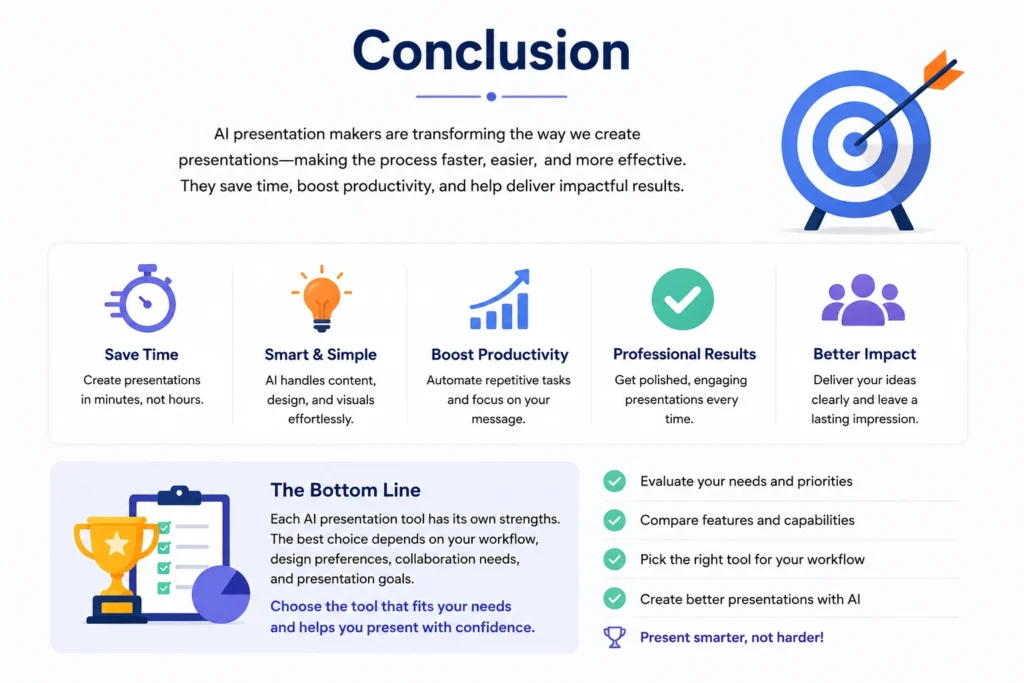
AI presentation makers have become valuable productivity tools for students, professionals, educators, and businesses. By automating content creation, slide design, and presentation structure, these platforms make it easier to create professional presentations in less time. Tools such as Gamma, Plus AI, Beautiful.ai, and Canva each excel in different areas, making them valuable for a variety of users and use cases.While traditional presentation software still has its place, AI-powered solutions continue to improve and deliver greater efficiency. Ultimately, the right platform is the one that aligns with your workflow, design preferences, collaboration requirements, and presentation objectives.
✨ Want bite-sized tech wisdom? Follow Tech Baaz.