
Monday.com Review 2026: Our Honest Analysis and Verdict
Monday.com is a cloud-based work management platform that helps teams organize projects, automate workflows, collaborate efficiently, and manage business operations from a single workspace. Originally launched as a visual project management tool, it has evolved into a complete Work OS used by marketing teams, software developers, sales departments, HR teams, agencies, and enterprise organizations worldwide. In 2026, Monday.com continues to differentiate itself through its user-friendly interface, customizable workflows, extensive integrations, and expanding AI capabilities. Whether you’re managing a startup team or a large organization, the platform provides the flexibility and scalability required to support modern business operations.
Key Features of Monday.com
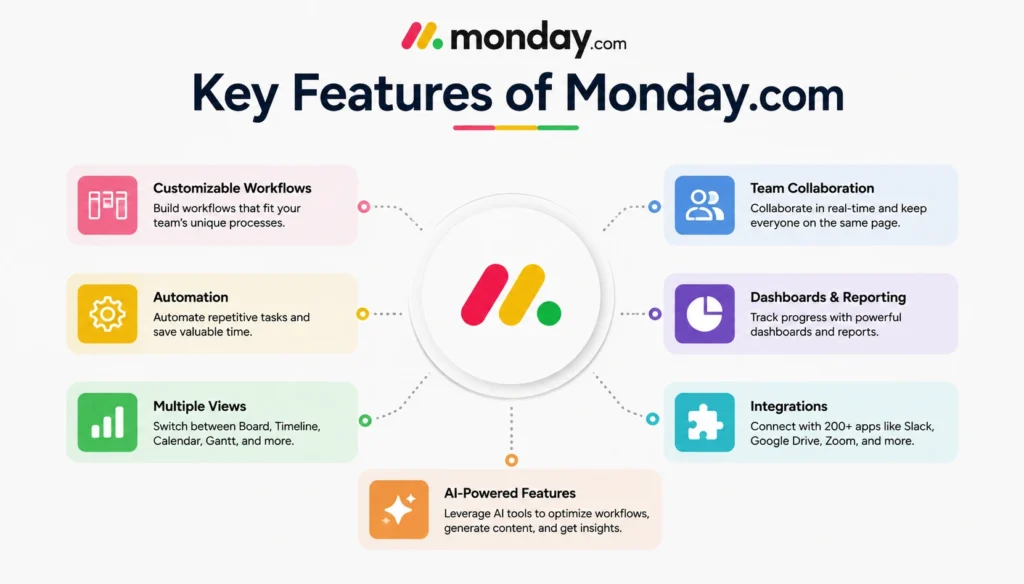
One of the biggest reasons behind Monday.com’s popularity is its ability to combine multiple business functions into a single platform. Instead of forcing teams to use separate tools for project management, reporting, collaboration, and automation, Monday.com centralizes these functions through customizable workspaces. The platform supports various industries and team structures, making it suitable for organizations with diverse operational requirements. Its visual approach to workflow management, combined with AI-powered productivity tools and no-code automation features, positions Monday.com as one of the most versatile work management solutions available in 2026.
💚 You might also like: Best AI Presentation Makers in 2026: Top Tools Compared
Project and Task Management
Project management remains the foundation of the Monday.com platform. Users can create projects, assign tasks, establish dependencies, monitor deadlines, and visualize progress using multiple views, including Kanban boards, timelines, calendars, Gantt charts, and workload dashboards. The platform’s flexibility allows teams to build custom workflows that match their operational processes without requiring technical expertise or complex implementation procedures.
Automation and AI Features
Monday.com has significantly expanded its artificial intelligence capabilities in recent years. The platform now offers AI-powered summaries, workflow recommendations, automated content generation, intelligent assistants, and no-code automation builders. These features help organizations reduce repetitive tasks, improve operational efficiency, and enable employees to focus on strategic work rather than administrative processes and manual data management.
Collaboration and Reporting Tools
Collaboration is one of Monday.com’s strongest areas. Teams can share files, communicate through updates and comments, receive real-time notifications, and monitor performance through customizable dashboards. Advanced reporting tools provide visibility into project status, team workloads, resource allocation, and organizational performance, helping managers make more informed decisions while improving cross-functional collaboration.
Monday.com Use Cases
One of the biggest strengths of Monday.com is its versatility. Unlike many project management tools that primarily focus on a single industry or workflow, Monday.com can adapt to a wide range of business operations. Marketing teams use it to manage campaigns and content calendars, while software development teams rely on it for sprint planning and project tracking. Sales teams use Monday CRM to manage pipelines and customer relationships, and HR departments use customized workflows for recruitment and employee onboarding. This flexibility allows organizations to standardize operations, improve visibility, and reduce their reliance on multiple disconnected software platforms.
Monday.com vs Other platforms
The project management software market has become increasingly competitive over the last few years, with platforms such as ClickUp, Asana, Trello, and Jira continuously expanding their capabilities. However, Monday.com remains one of the market leaders because it successfully balances ease of use, customization, automation, and scalability. While some competitors excel in specific areas, Monday.com delivers a more comprehensive work management experience that appeals to startups, growing businesses, and enterprise organizations alike. Its visual interface, AI-powered features, and flexible workflows continue to differentiate it from many competing platforms.
| Feature | Monday.com | ClickUp | Asana | Trello |
| Best For | Teams of all sizes | Power users | Enterprises | Small teams |
| Starting Price | $9/user/month | $7/user/month | $10.99/user/month | $5/user/month |
| Free Plan | Yes | Yes | Yes | Yes |
| Ease of Use | Excellent | Good | Very Good | Excellent |
| Project Views | Multiple views | 15+ views | Multiple views | Kanban-focused |
| Automation | Advanced | Advanced | Advanced | Basic |
| AI Features | Extensive | Strong | Strong | Limited |
| Reporting | Advanced | Advanced | Advanced | Basic |
| Customization | High | Very High | Moderate | Moderate |
| Integrations | 200+ | 1,000+ | 300+ | 200+ |
| Overall Rating | ⭐ 4.8/5 | ⭐ 4.7/5 | ⭐ 4.6/5 | ⭐ 4.4/5 |
Monday.com Pros and Cons
Like any project management software, Monday.com has both strengths and limitations. While it excels in workflow customization, automation, and user experience, there are a few limitations that potential buyers should consider before investing. The good news is that for most organizations, the advantages significantly outweigh the drawbacks. According to user review platforms such as G2 and Gartner Peer Insights, ease of use, visual project tracking, and automation capabilities remain among Monday.com’s highest-rated features. However, pricing and certain advanced feature restrictions continue to be common concerns among growing teams.
Pros
Monday.com offers an intuitive and visually appealing interface that significantly reduces the learning curve for new users. Its highly customizable workflows, powerful automation capabilities, AI-powered features, extensive integrations, and advanced reporting tools make it suitable for businesses of all sizes. The platform also scales effectively from small teams to enterprise organizations.
Cons
Despite its strengths, Monday.com can become expensive as organizations grow because pricing is based on seat tiers rather than individual users. Certain advanced features, reporting tools, and security capabilities are restricted to higher-tier plans. Additionally, highly technical software development teams may prefer specialized tools designed specifically for agile development environments.
Why Should You Choose Monday.com?
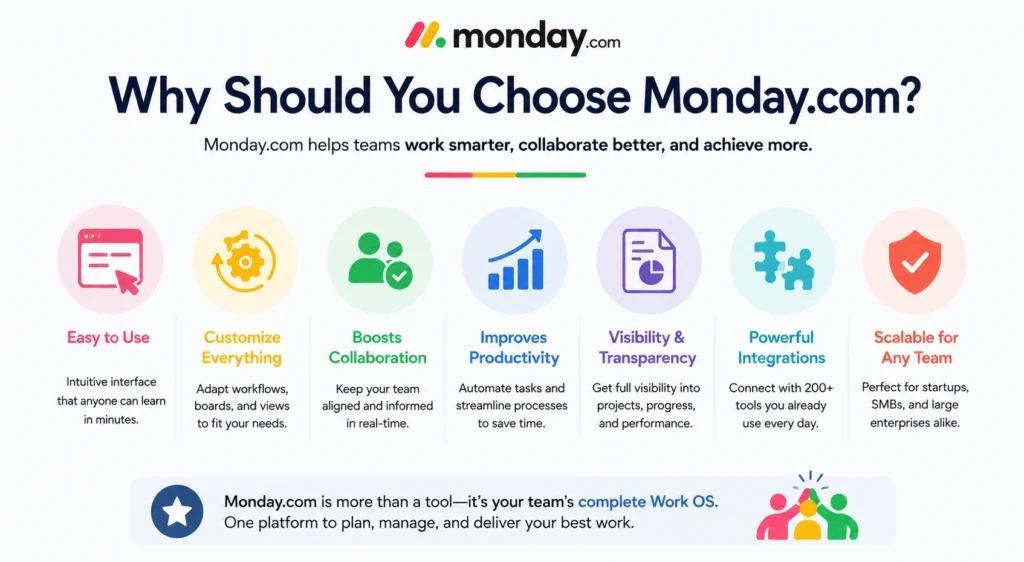
The primary reason businesses choose Monday.com is its ability to combine flexibility, usability, and scalability within a single platform. Unlike many competitors that prioritize either simplicity or advanced functionality, Monday.com successfully delivers both. Teams can build customized workflows, automate repetitive tasks, track performance metrics, and collaborate efficiently without requiring extensive technical expertise. This balance between power and accessibility makes the platform particularly attractive for growing businesses. For organizations seeking long-term scalability and operational efficiency, Monday.com continues to provide one of the strongest value propositions in the project management software market.
💚 You might also like: Best AI Research Tools for Students in 2026
Monday.com Pricing Plans
Monday.com offers several pricing tiers designed to support individuals, startups, growing businesses, and enterprise organizations. The free plan provides basic functionality for small teams, while paid plans unlock advanced automation, integrations, reporting, dashboards, and AI-powered features. Pricing increases based on the number of users and selected features, which can make the platform relatively expensive for larger organizations. However, companies that actively utilize workflow automation and operational management capabilities often achieve significant productivity gains that offset the subscription costs over time.
User Experience and Ease of Use
User experience remains one of Monday.com’s strongest competitive advantages. The platform features a clean, modern, and highly visual interface that simplifies project management without sacrificing functionality. Most users can begin creating workflows, assigning tasks, and managing projects within a relatively short period of time. Extensive templates, onboarding resources, tutorials, and documentation further reduce implementation challenges. This combination of accessibility and flexibility helps explain why Monday.com consistently receives strong user satisfaction ratings across independent software review platforms.
Who Should Use Monday.com?
Monday.com is particularly well-suited for marketing teams, agencies, operations departments, sales organizations, startups, and businesses managing multiple workflows across different departments. Companies seeking workflow automation, team collaboration, project visibility, and scalable business operations can benefit significantly from the platform. While enterprise organizations also utilize Monday.com extensively, smaller businesses often appreciate its ability to centralize operations without introducing excessive complexity or requiring dedicated technical resources.
Frequently Asked Questions (FAQs)
Is Monday.com free to use?
Yes, Monday.com offers a free plan for individuals and small teams. However, advanced features like automations, integrations, and AI tools require a paid subscription.
Is Monday.com worth it in 2026?
Yes, Monday.com remains one of the best project management platforms in 2026 due to its ease of use, automation capabilities, and growing AI features.
Is Monday.com better than ClickUp?
Monday.com is generally easier to learn and use, while ClickUp offers more customization options and advanced features for power users.
Can small businesses use Monday.com?
Absolutely. Monday.com is designed to scale from small teams to large enterprises, making it a strong choice for growing businesses.
Does Monday.com have AI features?
Yes, Monday.com includes AI-powered tools for workflow automation, content generation, project summaries, and productivity optimization.
What industries use Monday.com?
Monday.com is widely used by marketing agencies, software teams, sales departments, HR teams, operations managers, and enterprise organizations.
Does Monday.com integrate with other tools?
Yes, Monday.com supports hundreds of integrations, including Slack, Google Workspace, Microsoft Teams, Zoom, and many other business applications.
What are the main disadvantages of Monday.com?
The biggest drawbacks are its higher pricing for larger teams and the fact that some advanced features are only available on premium plans.
Is Monday.com good for project management?
Yes, Monday.com offers powerful project management features, including task tracking, timelines, automations, dashboards, and collaboration tools.
Who are Monday.com’s biggest competitors?
Its primary competitors include ClickUp, Asana, Trello, Jira, Smartsheet, and other modern work management platforms.
Conclusion
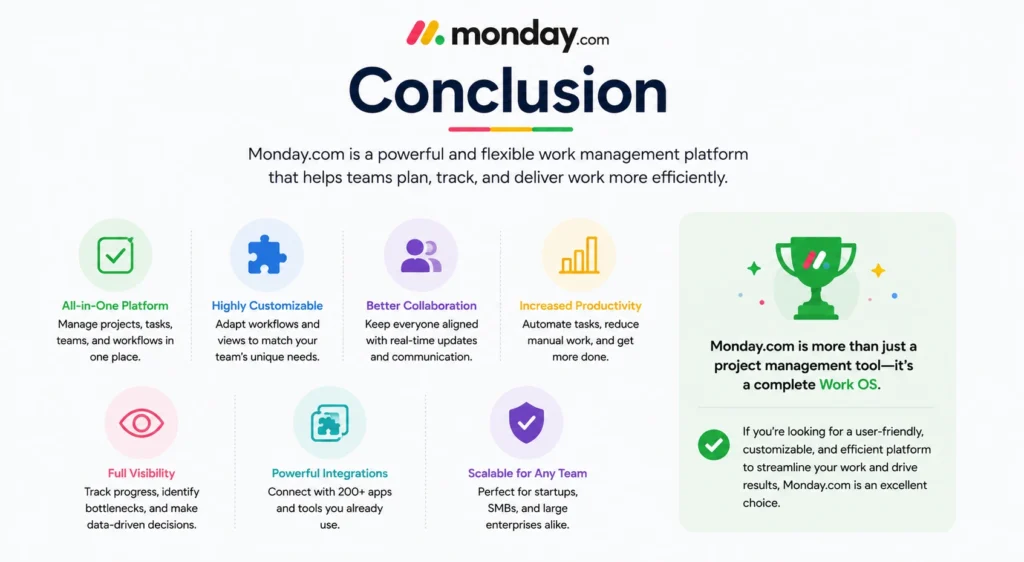
After analyzing its features, pricing, automation capabilities, user experience, AI innovations, and competitive positioning, it’s clear that Monday.com remains one of the strongest work management platforms available in 2026. Its combination of visual project management, workflow automation, collaboration tools, and artificial intelligence creates a highly versatile business platform capable of supporting organizations at nearly every stage of growth. Although pricing may not suit every budget, the platform’s productivity benefits, scalability, and ease of use make it a worthwhile investment for many businesses seeking a modern project management solution.
✨ Want bite-sized tech wisdom? Follow Tech Baaz.