
Introduction
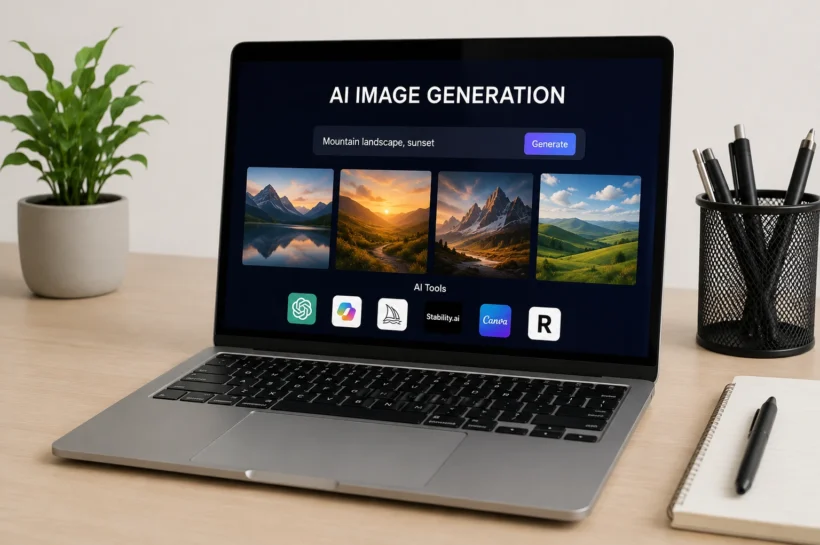
AI image generation has quickly moved from a niche creative experiment to a mainstream digital tool used by marketers, bloggers, designers, and everyday users. Instead of spending hours on Photoshop or hiring designers, people now create high-quality visuals just by typing a simple prompt. According to industry insights from platforms like Adobe Firefly and OpenAI ecosystem reports, AI-generated visuals are now used widely in social media content, advertising creatives, and blog illustrations. This guide will help you understand the best free AI image tools, how they work, and how to choose the right one for your creative needs in 2026 and beyond.
Key Benefits of Free AI Image Generators
Free AI image generators are changing how digital content is created by removing traditional barriers like cost, skill level, and software complexity. Instead of relying on expensive tools or professional designers, users can instantly generate high-quality visuals using text prompts. These tools are especially valuable for startups, freelancers, and content creators who need fast and affordable design solutions. Research from the creative tech industry shows that AI-assisted design can reduce content creation time by up to 70%, making workflows significantly more efficient. As a result, free AI tools are now becoming a core part of modern digital marketing and creative production.
Best Free AI Tools for Image Generation
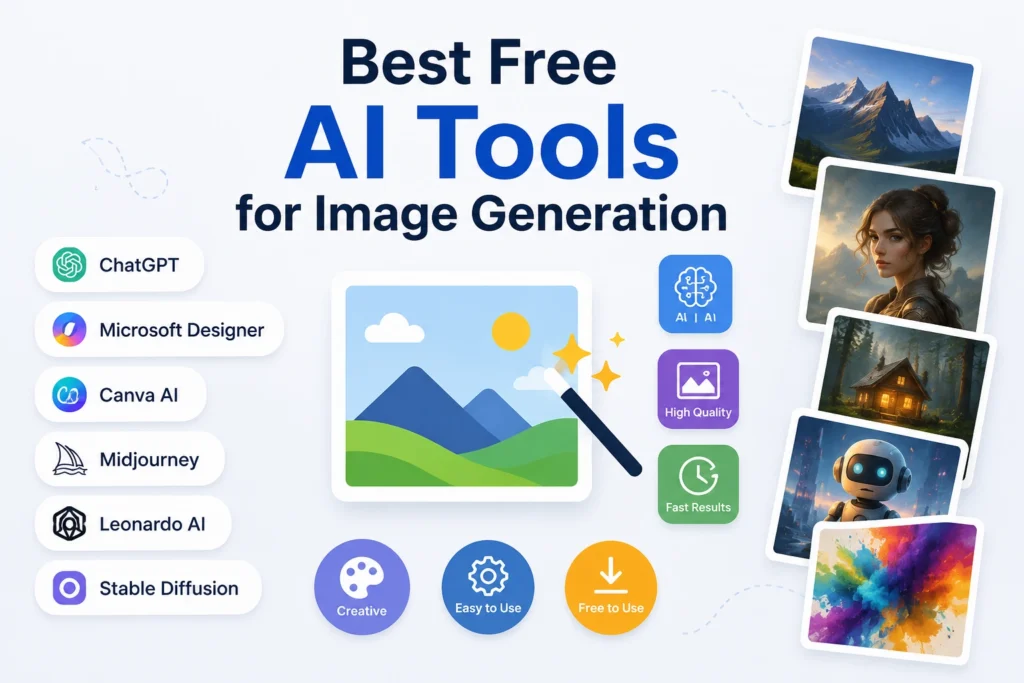
The AI image generation landscape in 2026 is highly competitive, with several powerful tools offering free access to advanced models. Each platform has its own strengths depending on whether you need realism, artistic style, typography control, or marketing-ready visuals. Some tools are built for beginners with simple interfaces, while others are designed for professionals who need advanced customization and prompt control. Below are the most reliable and widely used free AI image generators that consistently deliver strong results for both personal and commercial creative use.
💚 You might also like: Top Skills to Learn in 2026 for fastest Career Growth
ChatGPT Image Generator
ChatGPT image generation allows users to create highly detailed and context-aware visuals using natural language prompts. It is especially strong in understanding complex instructions, making it ideal for storytelling, blog visuals, and concept art. Unlike traditional design tools, it removes technical barriers and focuses entirely on conversational creativity. Users can refine images step-by-step, which improves accuracy and personalization. This makes it a powerful option for creators who want flexibility without needing design skills or external software experience.
Microsoft Designer Image Creator
Microsoft Designer Image Creator is built on advanced AI models that convert text prompts into clean, professional-quality visuals. It is widely used for social media posts, presentations, and marketing graphics due to its simplicity and fast rendering speed. One of its key advantages is integration with Microsoft’s ecosystem, which allows users to easily export designs into documents or campaigns. It is particularly useful for beginners who want high-quality output without dealing with complex settings or advanced editing tools.
Ideogram
Ideogram is known for its exceptional ability to generate images with accurate and readable text, which is something many AI tools struggle with. This makes it ideal for logos, posters, branding materials, and social media creatives that require typography integration. The platform uses advanced diffusion techniques optimized for text rendering inside images. Designers and marketers often prefer Ideogram when they need visually appealing graphics that combine both imagery and clear textual elements in a balanced and professional way.
Leonardo AI
Leonardo AI is a powerful creative platform designed for artists, game designers, and visual storytellers. It offers high levels of customization, allowing users to fine-tune style, lighting, composition, and detail intensity. The tool is especially popular for generating concept art, fantasy scenes, and product mockups. Compared to simpler generators, Leonardo AI provides more control over artistic direction, making it suitable for users who want professional-grade creative output with advanced editing capabilities and consistent visual quality across projects.
Adobe Firefly
Adobe Firefly is Adobe’s AI-powered image generation tool designed with a strong focus on commercial safety and professional design workflows. It integrates seamlessly with Adobe Creative Cloud applications like Photoshop and Illustrator, making it highly valuable for designers. Firefly is trained on licensed and safe datasets, which reduces copyright concerns for commercial use. It is widely used for branding, advertising, and editorial design where quality, compliance, and integration with professional tools are essential requirements.
Recraft
Recraft is an AI design platform focused on vector-style graphics, branding elements, and scalable visual assets. It is particularly useful for UI designers, marketers, and startups that need consistent brand visuals across multiple platforms. Unlike many image generators that focus only on realism, Recraft emphasizes design structure and brand consistency. It allows users to generate icons, illustrations, and marketing visuals that can be easily adapted for websites, apps, and digital campaigns without losing quality.
Stable Diffusion
Stable Diffusion is one of the most popular open-source AI image generation models, known for its flexibility and community-driven ecosystem. Users can run it locally or through various platforms, giving them full control over customization and outputs. It supports advanced prompting, fine-tuning, and model training, making it a favorite among developers and AI enthusiasts. Because it is open-source, it also allows integration into custom workflows, making it highly versatile for experimental and professional use cases.
Canva AI Image Generator
Canva AI Image Generator is integrated into the popular Canva design platform, making it extremely user-friendly for beginners and marketers. It allows users to generate images directly inside design templates, which simplifies the workflow for social media posts, ads, and presentations. Its biggest strength is convenience, as users can combine AI-generated visuals with Canva’s editing tools, fonts, and layouts in one place. This makes it ideal for quick, polished marketing content creation.
Freepik AI Image Generator
Freepik AI Image Generator is designed for creators who need stock-style visuals, illustrations, and marketing assets. It offers a large variety of styles and templates, making it suitable for content creators, agencies, and freelancers. The platform is especially useful for generating commercial visuals quickly without starting from scratch. Its integration with Freepik’s existing design resources also provides users with additional creative assets, making it a strong choice for scalable content production.
Google Gemini Image Generation
Google Gemini Image Generation leverages Google’s advanced multimodal AI capabilities to create highly realistic and context-aware images. It is particularly strong in understanding real-world context and generating accurate visual interpretations of complex prompts. This makes it useful for research visuals, educational content, and professional presentations. As Google continues to refine its AI ecosystem, Gemini is expected to become a key player in high-quality AI image generation for both personal and enterprise use cases.
AI Image Creation Best Practices
Creating high-quality AI-generated images is not just about picking the right tool it’s about how effectively you communicate with the model. Most competitors highlight tools, but they often miss the importance of prompting strategy, which is actually the biggest factor behind image quality. A well-structured prompt can dramatically improve output accuracy, style consistency, and realism. In fact, industry creators and AI designers consistently report that refined prompts produce up to 2–3x better visual results compared to vague inputs. By focusing on clarity, style direction, and iteration, users can unlock professional-level results even from free AI tools.
Writing Effective Prompts
Writing effective prompts is the foundation of successful AI image generation. A strong prompt should include subject details, environment, lighting, style, and mood instead of just basic descriptions. For example, instead of writing “a city at night,” a better prompt would describe neon lights, cinematic perspective, reflections, and atmosphere. This level of detail helps AI models interpret intent more accurately. Modern tools such as Stable Diffusion and Leonardo AI perform particularly well with structured prompts, which makes this skill crucial for producing consistent and high-quality visual results across different platforms.
Applying Visual Styles
Applying visual styles allows users to control the artistic direction of AI-generated images. Styles such as photorealistic, watercolor, cinematic, 3D render, or minimalistic can completely change the final result. Most AI tools now support style modifiers or presets that help users quickly achieve a specific look without manual editing. This is especially useful for marketers and designers who need brand consistency across multiple visuals. By combining style selection with detailed prompts, users can create more polished, professional, and visually appealing results that align with specific project goals.
Refining Generated Outputs
Refining outputs is a critical step often ignored by beginners. AI image generation is rarely perfect in the first attempt, which is why iteration plays a key role in improving results. Users can adjust prompts, change style settings, or regenerate variations to achieve better accuracy and composition. Advanced platforms even allow inpainting or editing specific parts of an image. This iterative process helps transform average outputs into high-quality visuals suitable for professional use, making refinement one of the most important skills in AI-driven design workflows.
💚 You might also like: Pasonet: Everything You Need to Know in 2026
AI Image Generator Comparison
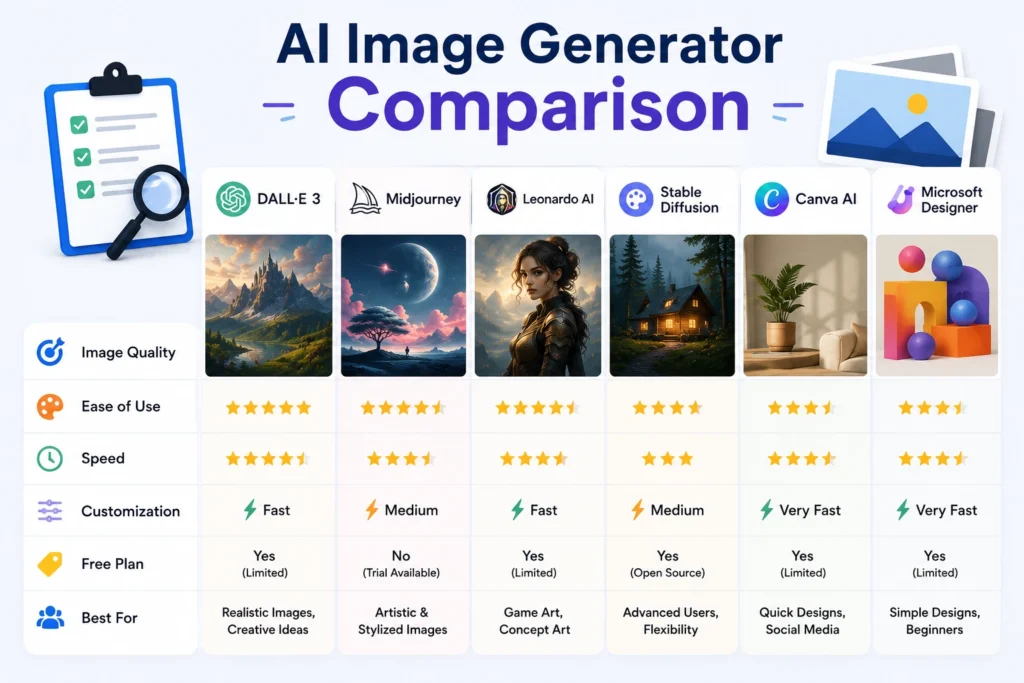
Choosing the right AI image generator becomes much easier when tools are evaluated side by side. While most platforms offer free access, their strengths vary significantly depending on use case. Some tools focus on realism, others on typography, and some are better suited for marketing or design workflows. Below is a simplified comparison based on key performance factors like usability, image quality, creative flexibility, and commercial suitability. This comparison helps users quickly identify which tool aligns best with their specific creative or business needs.
Comparison Table
| Tool | Best For | Free Access | Image Quality | Ease of Use | Commercial Use |
| ChatGPT Image Generator | General creative use | Yes | High | Very Easy | Limited/Varies |
| Microsoft Designer | Beginners & social media | Yes | High | Very Easy | Yes |
| Ideogram | Text-based visuals | Yes | High | Easy | Yes |
| Leonardo AI | Concept art & design | Yes | Very High | Moderate | Yes |
| Adobe Firefly | Professional design | Yes | Very High | Easy | Yes |
| Recraft | Branding & vectors | Yes | High | Moderate | Yes |
| Stable Diffusion | Advanced customization | Yes | Very High | Hard | Yes |
| Canva AI | Marketing content | Yes | Medium-High | Very Easy | Yes |
| Freepik AI | Stock-style visuals | Yes | High | Easy | Yes |
| Google Gemini | Realistic outputs | Yes | Very High | Easy | Varies |
Advantages and Limitations
Free AI image generators provide powerful creative opportunities, but they also come with certain trade-offs. While they significantly reduce design costs and speed up content creation, they may also have limitations in terms of consistency, resolution, and commercial licensing. Understanding both sides is important for choosing the right workflow. Most professional users combine multiple tools to balance quality, flexibility, and efficiency. This hybrid approach is becoming increasingly common in modern digital content production and AI-assisted creative industries.
Key Advantages
Free AI image generators offer several major benefits, especially for individuals and small teams. They eliminate the need for expensive software subscriptions and reduce dependency on professional designers for basic visual content. These tools also allow rapid experimentation, enabling users to generate multiple creative variations within seconds. For marketers and bloggers, this speed translates into faster publishing cycles and improved content output. Additionally, the accessibility of these tools helps democratize design, allowing anyone to create visually appealing graphics regardless of technical skill level.
Common Limitations
Despite their advantages, free AI image generators also have limitations that users should understand. Many platforms impose daily usage limits, lower resolution outputs, or restricted commercial rights on free plans. In some cases, results may lack consistency, especially for complex or highly specific prompts. Another common issue is limited control over fine details compared to professional design software. These constraints mean that while free tools are excellent for experimentation and basic content creation, advanced users may eventually need premium versions for more demanding projects.
Selecting the Right AI Tool
Choosing the right AI image generator depends entirely on your goals, skill level, and type of content you want to create. While all tools offer similar core functionality text to image generation their strengths differ in areas like realism, typography, speed, customization, and commercial safety. Many professionals don’t rely on a single tool anymore; instead, they combine multiple platforms to get the best output for different tasks. For example, one tool may be used for concept art, while another is better for marketing visuals or social media graphics.
AI Generators vs Design Software
The AI image generators and traditional design tools like Photoshop or Illustrator serve different purposes, even though they overlap in some areas. All AI tools are built for speed and automation, allowing users to generate images instantly from text prompts. In contrast, traditional software offers full manual control, precision editing, and advanced design capabilities. AI tools are ideal for quick content creation, ideation, and marketing visuals, while traditional tools remain essential for detailed design work and professional-level editing.
In modern workflows, both are often used together. Designers may generate concepts using AI tools and then refine them in traditional software. This hybrid approach saves time while maintaining creative control, making it one of the most effective strategies in today’s digital design industry.
Frequently Asked Questions
Which AI image generator offers the best free plan?
The best free plan varies depending on usage requirements, but Microsoft Designer, Canva AI, and Leonardo AI are widely regarded as strong choices. They offer generous free credits, good image quality, and user-friendly interfaces. However, limitations such as daily usage caps or watermark restrictions may apply depending on the platform and plan updates.
Can AI-generated images be used commercially?
Yes, many AI tools allow commercial use, but it depends on the platform’s licensing policy. Tools like Adobe Firefly and Microsoft Designer are designed with commercial safety in mind. However, users should always check the terms of service before using AI-generated images in paid campaigns, branding, or client work to avoid copyright or licensing issues.
Which tool creates the most realistic AI images?
And Tools like Stable Diffusion, or Leonardo AI, and Google Gemini are known for producing highly realistic images. They use advanced diffusion models and large-scale training datasets to generate detailed visuals. The final quality often depends on prompt engineering, style selection, and refinement rather than the tool alone.
Are free AI image generators suitable for professional use?
Yes, but with limitations. Free AI tools are great for drafts, ideation, and basic content creation. However, for high-end commercial projects, professionals often upgrade to paid plans or combine multiple tools. Free versions may have restrictions on resolution, usage rights, or customization features that are important for professional workflows.
What limitations should users expect?
Common limitations include daily generation caps, lower image resolution, limited editing features, and restricted commercial rights. Some tools may also produce inconsistent results for complex prompts. Despite these limitations, free AI image generators are still highly effective for everyday creative tasks and fast content production needs.
Conclusion
Here Free AI image generators have the completely transformed how digital content is created. What once required advanced design skills or expensive software can now be achieved in seconds using simple text prompts. These tools are not just a trend they are becoming a core part of modern content creation, marketing, and design workflows. As AI technology continues to evolve, we can expect even more realistic outputs, better customization, and improved accessibility. For creators, marketers, and businesses, learning how to use these tools effectively is no longer optional it’s a competitive advantage in the digital world.
✨ Want bite-sized tech wisdom? Follow Tech Baaz.