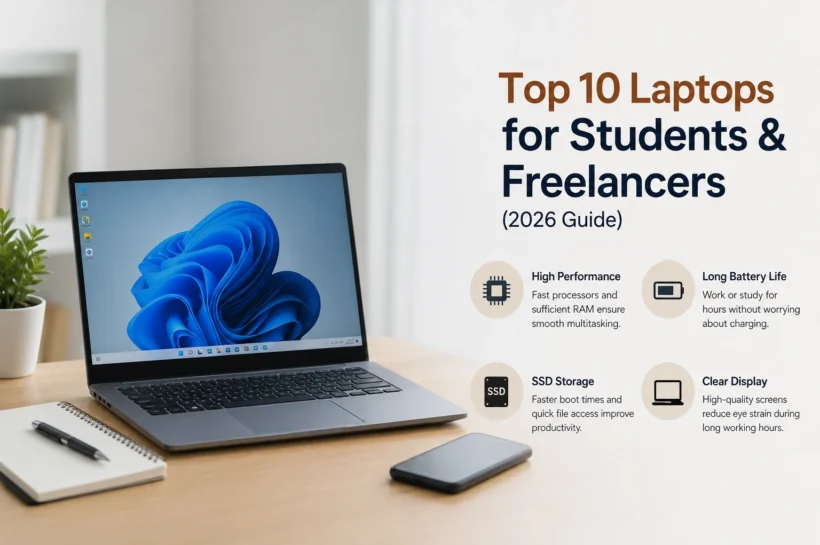

Top 10 Laptops for Students & Freelancers (2026 Guide)
In today’s digital world, laptop performance directly impacts how smoothly students and freelancers work. From attending online classes to handling freelance projects, a slow device can reduce productivity and increase stress. A fast processor, sufficient RAM, and SSD storage ensure quick multitasking without lag. According to multiple tech performance benchmarks from sources like Laptop Mag and TechRadar, modern users rely heavily on speed and efficiency. Choosing the right performance level helps you complete tasks faster, stay organized, and maintain consistency in work quality across daily workloads and deadlines, which is essential for modern remote work.
Features That Improve Productivity
Key features that boost productivity include fast processors, at least 16GB RAM, and SSD storage for quick boot times. A high-quality display reduces eye strain during long sessions, while good battery life supports mobility. Students and freelancers also benefit from lightweight designs and reliable thermal systems that keep performance stable during multitasking and demanding workloads throughout the day, efficiently optimized.
Key Things to Check Before Buying
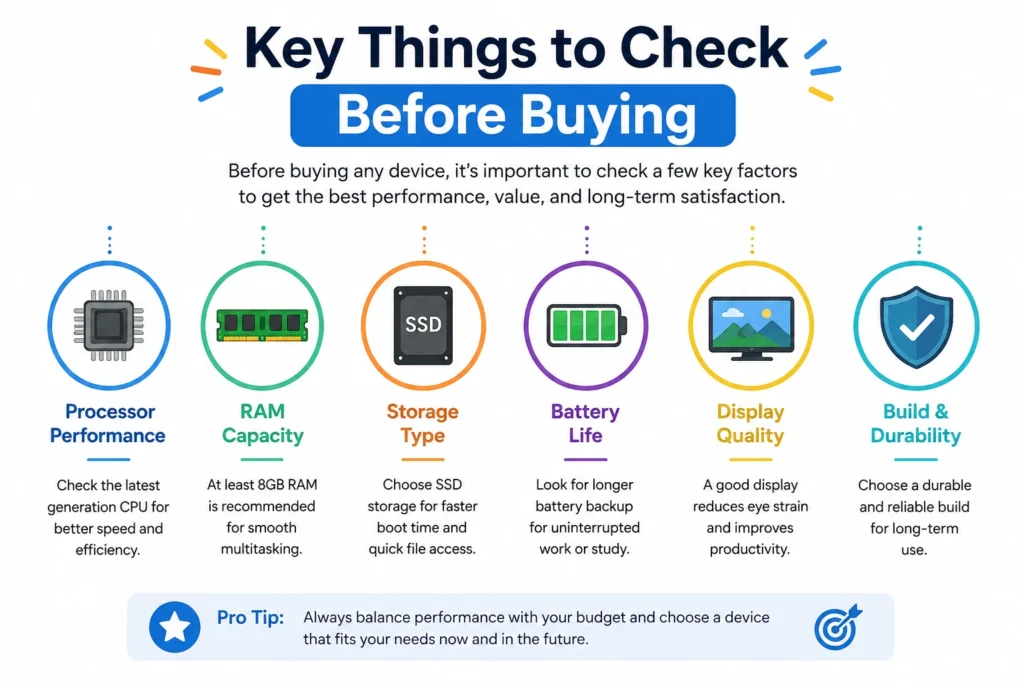
Before purchasing a laptop, understanding key specifications is essential for making the right choice. The processor determines speed, while RAM affects multitasking ability. SSD storage ensures faster loading compared to traditional hard drives. Battery life is crucial for students and freelancers who work on the go. Display quality, keyboard comfort, and build durability also play a major role. According to industry experts and reviews from TechRadar and Laptop Mag, balancing performance with budget ensures long-term value and better user experience across different workloads and professional tasks for consistent real-world productivity results every day of use.
💚 You might also like: How to Build a Website Step-by-Step (2026 Beginner Guide)
CPU, RAM, and SSD Selection
Choosing the right CPU, RAM, and SSD combination is the foundation of a smooth computing experience. Modern Intel Core and AMD Ryzen processors handle multitasking efficiently, while 16GB RAM is now considered ideal for most users. SSD storage significantly improves speed and responsiveness, making systems faster during boot and file access for both students and freelancers handling daily workloads effectively.
Battery Life and Portability
Battery life and portability are crucial for users who are always on the move. A laptop with 8–12 hours of battery backup ensures uninterrupted work during classes, travel, or client meetings. Lightweight designs under 1.5 kg are preferred by freelancers and students. Efficient power management also helps extend usage time, making devices more reliable for daily professional and academic tasks.
Top Laptop Specifications Comparison Table
A comparison table helps students and freelancers quickly understand which laptop fits their needs without reading long reviews. In today’s fast-moving tech market, models from Apple, Dell, Lenovo, ASUS, and HP dominate due to their balanced performance and reliability. Based on widely reviewed specifications from trusted tech platforms like Laptop Mag and TechRadar, key differences usually come down to processor generation, RAM capacity, storage type, and display quality. This section provides a simplified overview so you can compare performance, portability, and price value in one place and make a smarter, faster buying decision with clarity.
Top Laptop Specifications Comparison Table
This comparison table gives students and freelancers a clear snapshot of the most important laptop specifications in one place. Instead of reading long reviews, you can quickly compare CPU power, RAM, storage, and display quality across popular models. Based on commonly reviewed laptops from trusted tech sources like TechRadar and Laptop Mag, this table highlights real-world performance differences. It helps you understand which laptop is best for multitasking, creative work, or daily use. This section is designed to simplify decision-making so you can choose a laptop that matches your budget and workload efficiently and confidently.
| Laptop Model | Processor | RAM | Storage | Display | Best For |
| MacBook Air M2 | Apple M2 | 8–16GB | 256–512GB SSD | Retina Display | Students & Freelancers |
| Dell XPS 13 | Intel Core i7 | 16GB | 512GB SSD | FHD+ | Professional Work |
| ASUS VivoBook 15 | Intel Core i5 | 8–16GB | 512GB SSD | 15.6” FHD | Budget Users |
| Lenovo IdeaPad Slim 5 | Ryzen 7 | 16GB | 512GB SSD | 14” OLED | Multitasking |
| HP Pavilion 14 | Intel Core i5 | 8–16GB | 512GB SSD | FHD | Daily Tasks |
Best Overall Laptop for Productivity
The best overall laptop is designed to balance performance, portability, and battery life for both students and freelancers. Devices like the MacBook Air M2/M3 and Dell XPS series consistently rank high in expert reviews due to their fast processors, premium build quality, and excellent optimization. These laptops handle multitasking, research work, and creative tasks without lag. They are ideal for users who want a long-term investment rather than frequent upgrades. Strong battery life, silent operation, and smooth performance make them a reliable choice for daily academic and freelance workloads across multiple platforms and tools.
Display and GPU Performance
Display quality plays a major role in productivity, especially for designers and freelancers. High-resolution Retina or OLED screens provide sharp visuals and accurate colors, which reduce eye strain during long working hours. While most student laptops rely on integrated graphics, newer chips like Apple’s M-series or Intel Iris Xe offer enough power for light editing and multitasking. For creative professionals, a better GPU ensures smoother rendering and faster workflow. A good display combined with efficient graphics performance significantly improves both learning and professional output quality in real-world tasks and projects.
Laptop Models and Performance Breakdown Table
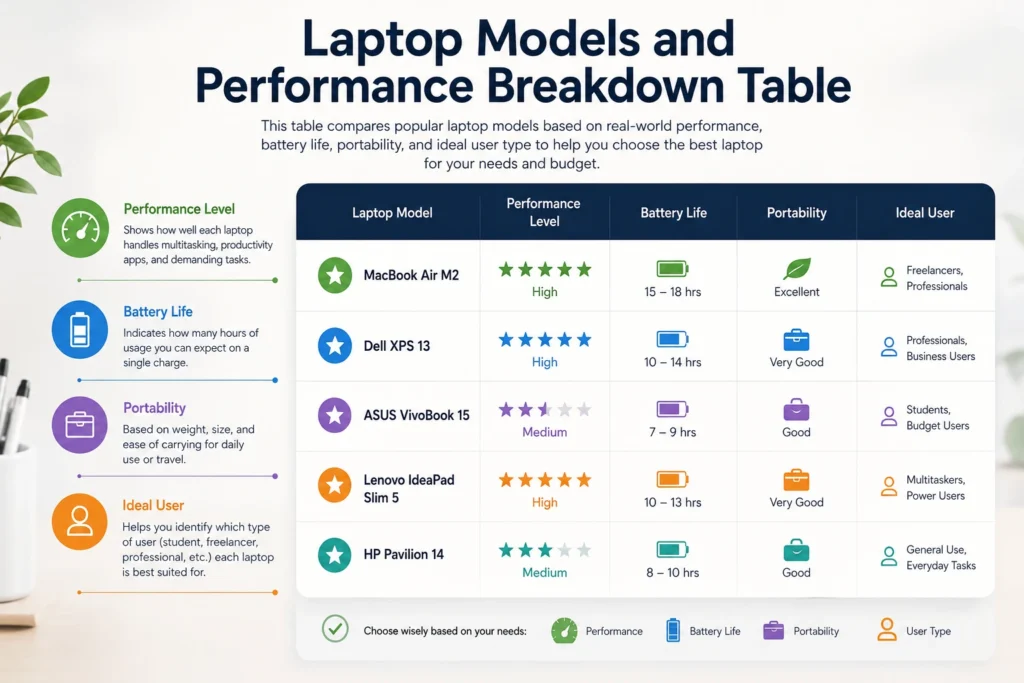
This section breaks down real-world usage performance instead of just specifications. Many laptops look similar on paper, but their actual speed, battery life, and usability differ in daily work. Students usually need smooth browsing and multitasking, while freelancers require stable performance for tools like Excel, Canva, Adobe Suite, or coding environments. According to industry benchmarks and expert reviews, performance also depends on optimization, cooling, and SSD speed. This table helps you understand how each laptop performs in real situations, so you can choose based on actual workload needs rather than just technical numbers.
| Laptop Model | Performance Level | Battery Life | Portability | Ideal User |
|---|---|---|---|---|
| MacBook Air M2 | High | 15–18 hrs | Excellent | Freelancers |
| Dell XPS 13 | High | 10–14 hrs | Very Good | Professionals |
| ASUS VivoBook 15 | Medium | 7–9 hrs | Good | Students |
| Lenovo IdeaPad Slim 5 | High | 10–13 hrs | Very Good | Multitaskers |
| HP Pavilion 14 | Medium | 8–10 hrs | Good | General Use |
Best Budget Laptop for Daily Use
Budget laptops are ideal for students and freelancers who need reliable performance without overspending. Models like Acer Aspire 5, Lenovo IdeaPad Slim 3, and ASUS VivoBook series are widely recommended in expert reviews for their balance of price and performance. These laptops usually come with Intel Core i3/i5 or Ryzen 3/5 processors, 8–16GB RAM, and SSD storage, which is enough for browsing, assignments, document work, and online meetings. According to industry benchmarks from TechRadar and Laptop Mag, modern budget laptops now deliver surprisingly smooth performance, making them a smart choice for everyday academic and freelance tasks.
💚 You might also like: Frontend vs Backend Development: Career Guide(2026)
Best Laptop for Creative Work
Creative professionals such as designers, video editors, and content creators need laptops with strong displays, powerful processors, and dedicated graphics support. Devices like MacBook Pro, ASUS ZenBook Pro, and Dell Inspiron Creator series are commonly highlighted by experts for their color accuracy and rendering speed. These laptops handle software like Adobe Photoshop, Premiere Pro, and Illustrator efficiently. High-resolution screens, strong GPUs, and optimized cooling systems ensure smooth performance during heavy workloads. A good creative laptop helps users maintain accuracy, speed, and workflow stability, which is essential for professional-level design and multimedia production tasks.
Display and GPU Performance
For creative work, display and GPU performance are critical factors. A high-quality OLED or Retina display ensures accurate color reproduction, which is essential for editing photos and videos professionally. Dedicated GPUs like NVIDIA RTX or Apple’s integrated M-series graphics improve rendering speed and reduce lag during heavy editing tasks. This combination allows smoother timeline playback, faster exports, and better visual precision. For freelancers working with clients, this level of performance directly impacts output quality and efficiency, making it a key investment for long-term creative success and professional reliability in competitive digital industries.
Final Verdict and Best Picks
Choosing the right laptop depends on your specific needs, budget, and workload. Students should focus on portability, battery life, and smooth performance for study tasks, while freelancers need stronger processors and better multitasking ability. Overall, laptops like MacBook Air, Dell XPS, and Lenovo IdeaPad offer a balanced mix of power and efficiency. Budget users can still get excellent performance with mid-range Windows laptops. The key is to prioritize long-term value instead of just price, so your device supports both academic and professional growth without frequent upgrades or performance issues over time.
FAQs
Which laptop is best for students and freelancers?
MacBook Air and Dell XPS are top choices due to performance, battery life, and reliability.
How much RAM is enough for freelancing work?
At least 16GB RAM is recommended for smooth multitasking and professional tools.
Is SSD important in a laptop?
Yes, SSD storage makes your laptop faster, more responsive, and more efficient in daily tasks.
Can budget laptops handle freelancing work?
Yes, mid-range laptops can handle basic freelancing tasks like writing, browsing, and design.
Which is better for students and freelancers: MacBook or Windows?
MacBooks offer better optimization, while Windows laptops give more flexibility and affordability.
Tech made simple, follow Tech Baaz for more.